To make the transmitter(s) enter the pairing state, press and hold its
power button for 5 seconds in shutdown mode until its status indicator
blinks blue rapidly.
Transmitter(s) and receiver will be successfully paired within 10 seconds.
The transmitter's information and status will be shown on the receiver's
screen.
5. Plug your headphones into the receiver’s 3.5mm headphone port for
audio monitoring as your need.
6. Set Mono, Stereo or Safety Track mode on the receiver’s menu as your
need.
7. It is recommended to record a sample and play it back to check if the
audio level is acceptable before recording.
8. In order to improve the recording eect in a noisy environment, it is
recommended that press the button on the transmitter(s) to enable
noise cancellation.
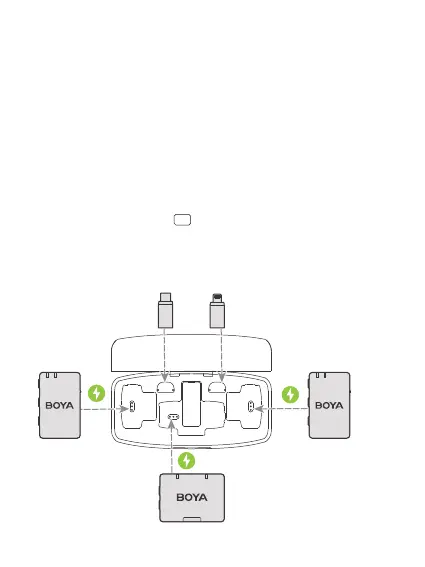
9. After recording, put the transmitter(s) and receiver back into the case for
charging.
NR


 To Next Page