unit for ventilation.
Caution!
Usage of controls or adjustments or performance of procedures other than those specified in this
manual may result in hazardous radiation exposure. This unit should not be adjusted or repaired
by anyone except qualified service personnel.
In case of damage, or if service or repair is required, contact the after sales support line for advice.
Connections
• Connect the power cord to a properly earthed AC outlet.
• Move the function selector. The backlight on the LC display should light up, indicating the
power supply is working properly.
• Your USB Turntable withCD and Radio is now ready for use.
• To connect a headphone to this equipment, use a 3.5mm headphone jack and plug it into the
socket at the front of the equipment.
• To connect an external device (e.g. amplifier or speaker), use the LINE OUT sockets at the back
of the equipment.\
Features
Features
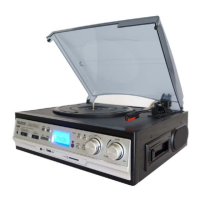
• Variable turntable speed (33, 45, 78 rpm)
• Automatic/manual stop turntable
• Belt-driven system
• Direct USB/SD encoding for turntable and auxiliary input
• Auxiliary input for connection of other device (e.g. CD player or MP3 player)
• USB/SD slot for MP3 playback
• Copying files/tracks from USB to SD
• Deleting files/tracks on USB and SD
• Digital read-out analog AM/FM radio
• 45 rpm adaptor included
• LCD display with blue backlight
• RCA line-out
• Built-in speaker with 2 x 1.5W output
Instructions
Listening to radio


 To Next Page