This technical instruction outlines the procedure for performing a static feeder calibration on the OP12 system, specifically focusing on the static balance of the scale. This calibration is crucial for maintaining the accuracy and reliability of the feeder's weighing mechanism, which directly impacts the precision of material dosing in various industrial applications.
Function Description:
The OP12 system, as depicted in the interface, appears to be a multi-feeder control unit, capable of managing up to four individual feeders (Feeder 1, Feeder 2, Feeder 3, Feeder 4). Each feeder likely controls the flow of a specific material, and the system ensures accurate dosing based on setpoint values. The calibration process detailed here is specifically for adjusting the "lever arm" or leverage factor of an individual feeder's scale, which is a critical parameter for accurate weight measurement. The system displays real-time weight readings (e.g., "1.159 kg"), setpoint values (e.g., "XS 75.000%"), and other operational parameters such as percentages and flow rates (e.g., "0.000 kg/h"). The user interface suggests a touch-screen operation with various buttons for navigation, data entry, and system control. The "Anlage gestoppt" status indicates that the system is currently in a stopped or idle state, which is a prerequisite for performing calibration procedures.
Important Technical Specifications (Inferred from the interface):
- Number of Feeders: The system supports at least four individual feeders, as indicated by "Feeder 1" through "Feeder 4" on the main screen.
- Weight Measurement Range: While not explicitly stated, the display shows values like "1.159 kg" and "10.000 kg" for test weights, suggesting a typical range for industrial weighing applications, likely in kilograms. The "XSGES 190.000 kg/h" indicates a maximum total flow rate capacity.
- Accuracy: The calibration process aims to ensure high accuracy in weight measurement. The "lever arm" adjustment directly impacts the precision of the scale.
- Control Interface: The system features a graphical user interface (GUI) with touch-screen input, allowing for intuitive operation and data entry.
- Security: Access to calibration functions is protected by a numerical code (e.g., "08434"), ensuring that only authorized personnel can perform critical adjustments.
- Status Indicators: The interface provides clear status indicators, such as "ST ST" (likely system status), "Anlage gestoppt" (system stopped), and percentage displays for various parameters, aiding in monitoring the system's operational state.
Usage Features:
- Multi-Feeder Management: The system allows for independent control and monitoring of multiple feeders from a single interface. This is beneficial for processes requiring precise blending or sequential dosing of different materials.
- Real-time Monitoring: Operators can view real-time weight readings, setpoints, and flow rates for each feeder, enabling immediate feedback on the dosing process.
- Setpoint Configuration: The ability to set "XS" values (setpoints) for each feeder allows for flexible adjustment of material flow rates according to production requirements.
- Intuitive Navigation: The use of clear buttons and a logical flow for calibration steps (e.g., "Press the button on the bottom right," "Press on the Key button") makes the system user-friendly.
- Secure Access: The implementation of a security code for critical functions prevents unauthorized tampering and ensures operational integrity.
- Calibration Guidance: The step-by-step instructions provided in the manual, coupled with visual cues on the interface, guide the user through the calibration process efficiently.
- Data Entry: The system supports numerical data entry for parameters like test weights, as shown in the "Type in the code 08434" and "enter the weight of the test weight" steps.
Maintenance Features:
- Static Feeder Calibration: This is a key maintenance feature, allowing for the precise adjustment of the feeder's scale. Regular calibration is essential to compensate for wear and tear, environmental factors, or changes in material properties that might affect weighing accuracy.
- Lever Arm Adjustment: The specific focus on adjusting the "lever arm" highlights a critical mechanical aspect of the scale that can be fine-tuned through software, ensuring optimal performance. This adjustment is crucial for maintaining the linearity and accuracy of the weight readings across the feeder's operational range.
- Test Weight Procedure: The calibration process involves using known test weights (e.g., "10kg") to verify and adjust the scale's readings. This is a standard and reliable method for ensuring measurement accuracy.
- System Diagnostics (Inferred): While not explicitly detailed, the presence of various status indicators and the ability to enter a security code often imply underlying diagnostic capabilities that can help identify and troubleshoot issues within the feeder system.
- Clear Instructions for Maintenance: The detailed, step-by-step instructions with accompanying screenshots make the calibration process accessible and repeatable, reducing the likelihood of errors during maintenance.
- Confirmation of Settings: The final step, "The lever arm is now set! Control again with the test weight," emphasizes the importance of verifying the calibration, ensuring that the adjustments have been correctly applied and the system is ready for operation. This iterative approach to calibration and verification is a good maintenance practice.

 Need help?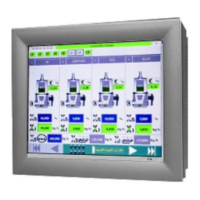

 To Next Page
 General