
 Need help?
Do you have a question about the Brähler Systems INFRACOM LKC50 and is the answer not in the manual?
Provides an overview of the manual's structure and explains the symbols used.
Explains symbols and fonts used in the manual for clarity and emphasis.
Offers crucial advice and general information for safe and effective operation.
General advice on reading the manual and using the receiver carefully.
Critical safety warnings regarding battery polarity and handling to prevent damage.
Steps to install the IRX Tray Setup software on a Windows computer.
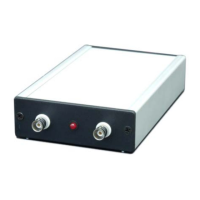
Details the physical connections between the PC, LKC50, and TK50 charging tray.
Sets the highest available channel number on the IRX receiver to prevent delegate confusion.
Configures the initial channel the IRX receiver selects upon power-up.
Sets the default volume level for the IRX receiver upon startup.
Activates the squelch function to mute noisy signals when infrared reception is weak.
Enables or disables the INFRACOM Guard module function on the IRX receiver.
Shifts IR channels upwards to avoid interference from fluorescent lamps.
Selects the IR frequency band (Band II or Band IV) for optimal performance.
Resets all program parameters to their factory default values.
Selects the serial COM port for communication with the programming device.
Opens the communication port to start the programming process for IRX receivers.
Closes the IRX tray setup program.
 General
| Brand | Brähler Systems |
|---|---|
| Model | INFRACOM LKC50 |
| Category | Motherboard |
| Language | English |

 To Next Page