EasyManua.ls Logo

Brahler Band II - User Manual

Brahler Band II
32 pages
Print Icon
To Next Page IconTo Next Page
Loading...
INFRACOM
®
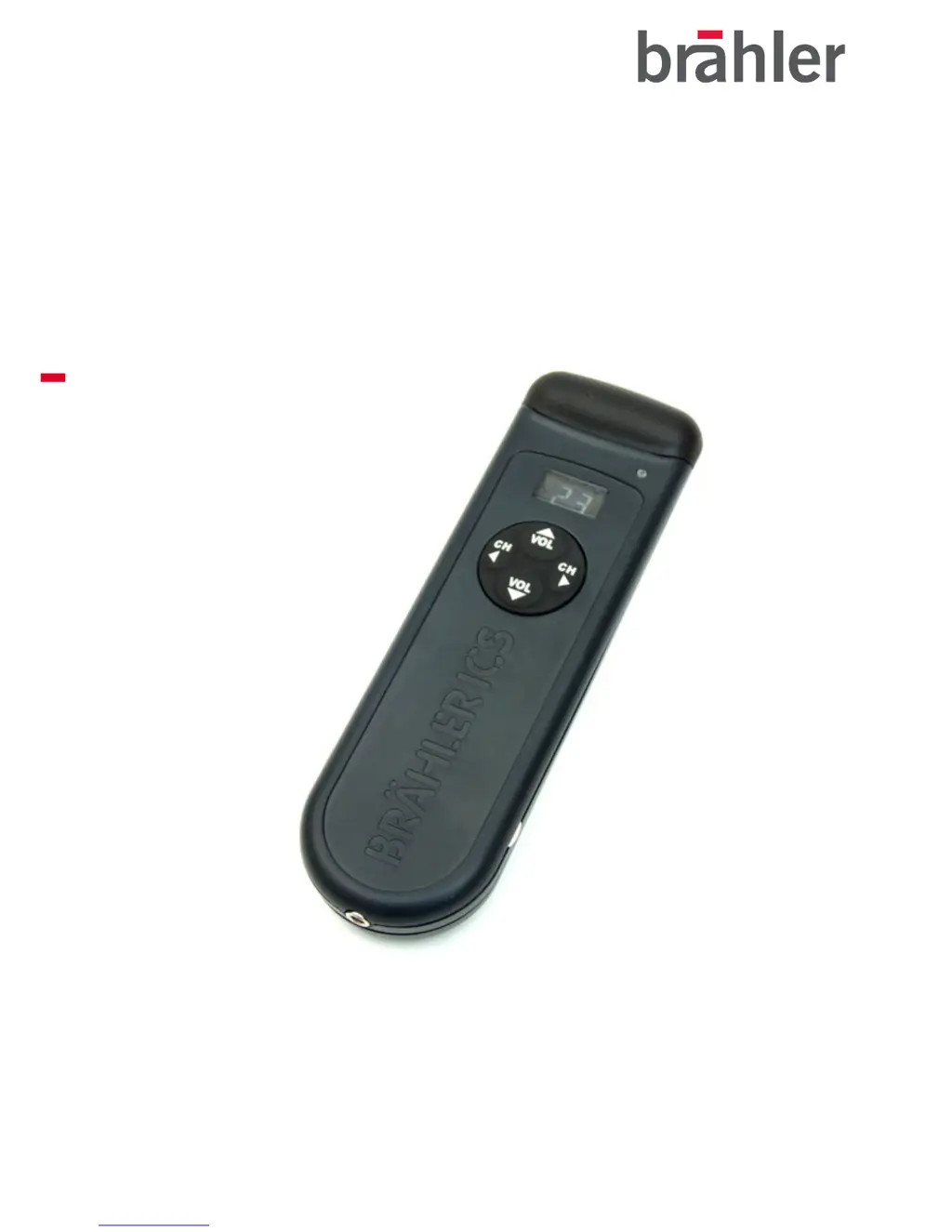
Infrared Multichannel Receiver IRX
Band II / Band IV
Operating instructions (SE 5.5)
Rev 1.3

Questions and Answers

  • M
    Michele WilsonAug 3, 2025
    Why is there no sound at my Brahler Receiver headphone?
    • M
      maxwellfranklinAug 3, 2025
      There could be several reasons for the lack of sound. First, ensure the headphone is properly plugged in. Check if the receiver is switched on by pressing one of the buttons on the navigation dial while the headphone is connected. If the display isn't lighting up, the batteries might be weak or not inserted correctly; try inserting new batteries and performing a hardware reset. Lastly, make sure you are using the correct headphone as specified in the accessories.
  • M
    Mrs. Tamara SmithAug 9, 2025
    What to do if Brahler Receiver gets noise at the headphone only?
    • D
      Devon OrrAug 9, 2025
      If your Brahler Receiver is only producing noise, it might be due to several reasons related to IR reception. First, ensure that the IR transmitter is switched on and that the radiators are properly connected to the active IR transmitter. Try changing the IR channel to a different position. Also, verify that the selected IR channel has an active transmission by checking the IR transmitter's adjustment. Furthermore, check if the receiver is accidentally in Shift mode; if it is, deactivate it. Finally, confirm that the correct Band is selected in the service mode and switch it if necessary.
  • P
    Phillip RichardsAug 17, 2025
    Why does my Brahler Band II switch off after approximately 15 seconds?
    • W
      William ArcherAug 17, 2025
      If your Brahler Receiver switches off after about 15 seconds, it's likely due to one of two reasons. First, verify that the IR transmitter and radiators are switched on, ensuring a reception signal. If they are on, the reception channel might not be transferring from the IR transmitter; try changing the channel setting by going up or down to find the correct one.
  • D
    Darlene GrayAug 26, 2025
    How to fix Brahler Band II Receiver when only the backlight is on and no keystrokes are possible?
    • C
      Christina FitzgeraldAug 26, 2025
      If after switching on your Brahler Receiver only shows the backlight and doesn't respond to keystrokes, this indicates an undefined working order. To resolve this, perform a hardware reset.

Summary

Receiver Operational Procedures

Battery Types and Handling Guidelines

Guidelines for using disposable and rechargeable batteries, including polarity and disposal.

Advanced Service Mode Functions

Entering and Navigating Service Mode

Procedure for activating and scrolling through the service mode menu.

Battery Voltage and IR Field Strength Checks

How to check battery status and measure IR field strength within service mode.

Channel Shift and Band Switching

Instructions for shifting channels and switching between Band II and Band IV.

Exiting Service Mode and Hardware Reset

Procedures for exiting service mode and performing a hardware reset.

Frequency and Channel Mapping Tables

Technical Specifications and Compliance

Electrical, Mechanical, and Performance Data

Details technical specs like channels, frequencies, voltage, power, and operating time.

Troubleshooting Common Issues

Fault Diagnosis and Resolution Guide

Provides a guide to diagnose and resolve common operational issues.

Brahler Band II Specifications

General IconGeneral
BrandBrahler
ModelBand II
CategoryReceiver
LanguageEnglish