30
Knifonium
Plugin Manual
1
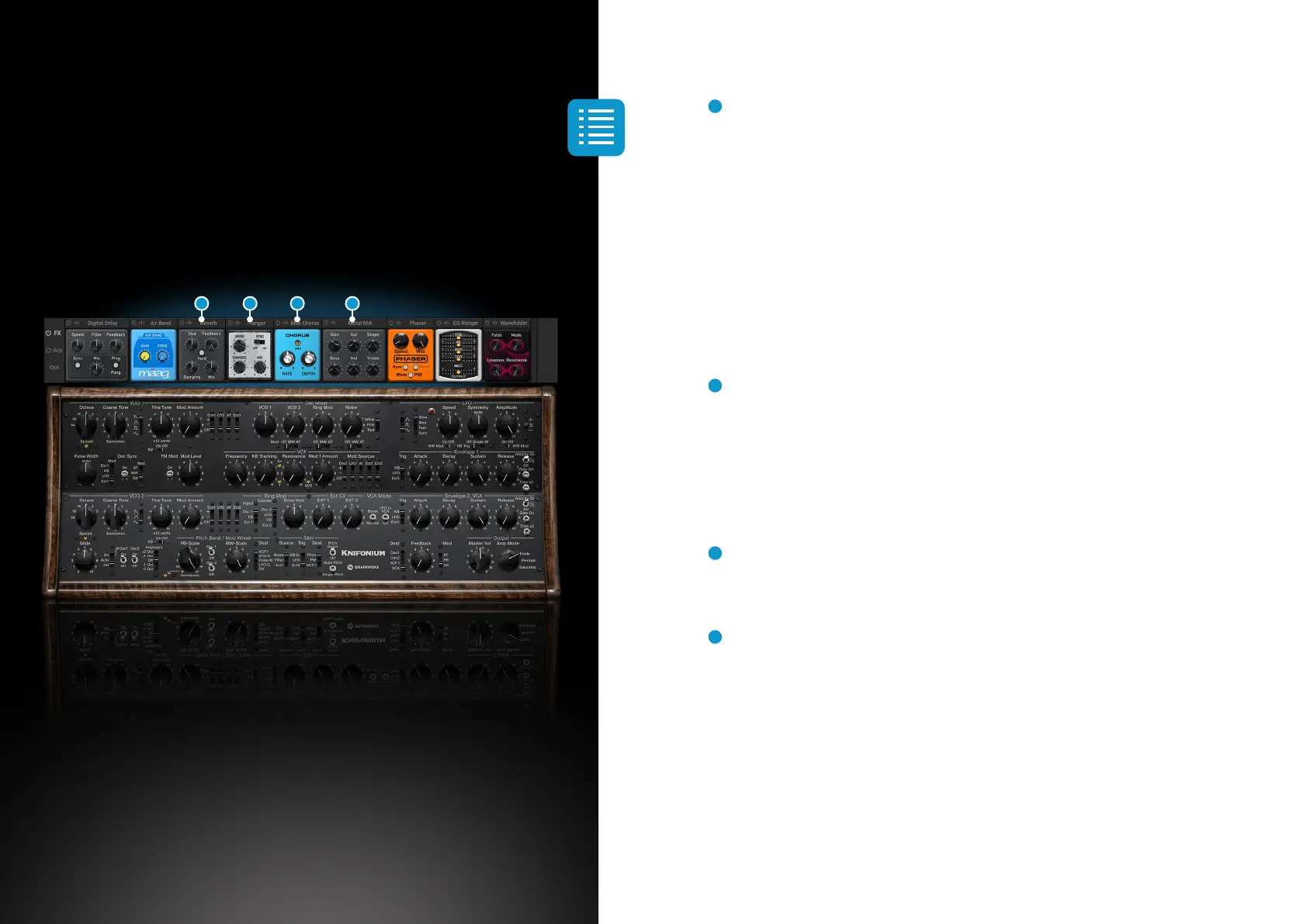
Reverb
A classic reverb offering you anything from bathroom to cathedral.
Play around with room size and feedback to find the amount of reverb which fits
your sound. The Damping parameter allows you to dial in harsh, cold sounds as
well as soft and lush ambiences. The hold function will keep the current reverb
level for an almost infinite time. This allows for creating huge ambiences.
Make sure you activate the hold function at the moment you want to freeze the
reverb state (not before you play). It is probably helpful to assign the hold function
to a MIDI input like a button or pedal.
2
Flanger
Modelled after the sound of classic Flanger pedals, this gives the Knifonium an
additional set of possibilities.
Speed can be dialled in both synchronized with your host tempo and free running.
Enhance deepens the effect of the flanger.
3
Blue Chorus
Another Brainworx classic giving you the typical sound of a chorus stompbox.
4
Metal666
Don’t let the subtle nature of this amp simulation fool you. It may start gently when
Gain and Out are dialled in low, but the beast will be unleashed the
further you turn both knobs towards 11 (or 10).
If you turn up both Gain and Out to give your sound that extra growl, please make
sure you reduce the level in the main UI in order to avoid overloading
your channel.
1 2 3 4


 To Next Page
 Loading...