
 Need help?
Do you have a question about the Braun Oral-B 2000 and is the answer not in the manual?
Key precautions for safe and effective product operation.
Steps and indicators for charging the toothbrush handle.
Guidance on proper brushing method and tooth surface coverage.
Details on different brushing modes and how to switch them.
How the pressure sensor protects teeth and gums from excessive force.
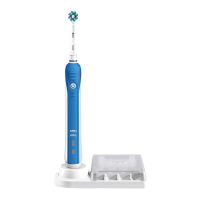
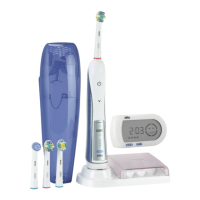
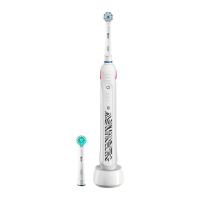
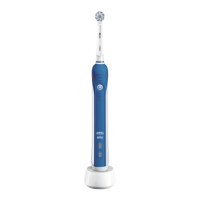
The Oral-B Professional Care electric toothbrush is designed to provide a unique, safe, and effective brushing experience for you and your family. This device is waterproof and electrically safe, making it suitable for use in the bathroom.
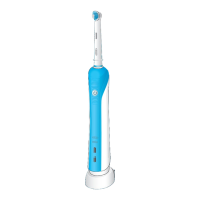
The Oral-B Professional Care toothbrush is an electric toothbrush that utilizes oscillating-rotating action to clean teeth and gums. It features a pressure sensor to protect against hard brushing and a professional timer to ensure thorough cleaning. The device is powered by a rechargeable battery, which can be charged using a basic charger or an assembled charging unit.
Connecting and Charging: To begin, plug the basic charger (g) or the assembled charging unit (see picture B/C on page 2) into an electrical outlet. Then, place the toothbrush handle (d) on the charging unit. While charging, the green charge indicator light (e) will flash. Once fully charged, it will shine continuously for 5 seconds before turning off. A full charge takes approximately 17 hours and provides about one week of regular brushing (twice a day for 2 minutes). When the rechargeable battery is low, the red low charge indicator light (f) will start blinking after the toothbrush is turned off. For daily use, the handle can be stored on the charging unit to maintain full power without the risk of overcharging. To maximize battery capacity, it is recommended to unplug the charging unit and fully discharge the handle with regular use at least every 6 months. If the charge indicator light does not flash immediately, continue charging; it should appear within 10-15 minutes.
Using Your Toothbrush: Wet the brush head and apply any kind of toothpaste. To prevent splashing, guide the brush head to your teeth before switching on the appliance (c). Slowly move the brush head from tooth to tooth, spending a few seconds on each tooth surface. Begin by brushing the outsides, then the insides, and finally the chewing surfaces, ensuring all four quadrants of your mouth are brushed equally. Avoid pressing too hard or scrubbing; let the toothbrush do the work.
Brushing Modes (depending on model): The Oral-B Professional Care offers several brushing modes to suit different needs:
To switch between modes:
Pressure Sensor: The toothbrush is equipped with a pressure control feature to protect your teeth and gums from hard brushing. If too much pressure is applied, the red pressure sensor light (b) will illuminate, reminding you to reduce pressure. You will also notice a different sound during brushing. Periodically check the pressure sensor's operation by lightly pressing on the brush head during use.
Professional Timer: A short stuttering sound will occur at 30-second intervals, signaling you to move to the next quadrant of your mouth, ensuring all four quadrants are brushed equally. A long stuttering sound indicates the end of the professionally recommended 2-minute brushing time. The timer memorizes the elapsed brushing time if the handle is briefly switched off. However, if paused for longer than 30 seconds, the timer will reset.
It is normal for gums to bleed slightly during the first few days of using an electric toothbrush. This bleeding should stop after a few days. If it persists for more than 2 weeks, consult your dentist or dental hygienist. For sensitive teeth and gums, Oral-B recommends using the «Sensitive» mode, optionally with the Oral-B Sensitive brush head.
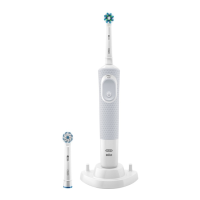
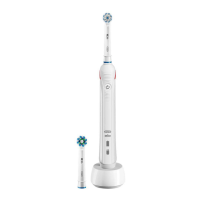
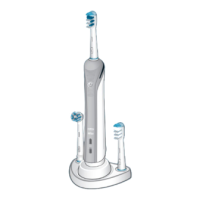
Individual Brush Heads and Accessories: The Oral-B Professional Care offers a variety of brush heads and accessories:
All three brush heads feature blue INDICATOR® bristles that fade halfway within approximately 3 months of thorough brushing (twice a day for two minutes), signaling it is time to change the brush head. Replacement brush heads and accessories are available where Oral-B products are sold.
Cleaning Recommendations:
Environmental Notice: This product contains rechargeable batteries. To protect the environment, do not dispose of the product in household waste at the end of its useful life. Disposal can be done at an Oral-B Braun Service Centre or at appropriate collection points in your country.
 General
| Model | 2000 |
|---|---|
| Type | Electric Toothbrush |
| Pressure Sensor | Yes |
| Battery Life | 10 days |
| Charging Time | 12 hours |
| Waterproof | Yes |
| Brush Head | CrossAction |
| Brand | Braun |
| Cleaning Modes | Daily Clean, Gum Care, Sensitive |
| Timer | 2-minute timer with 30-second interval |
| Oscillations per minute | 8800 |
| Included Accessories | Brush head(s) |



 To Next Page