EasyManua.ls Logo

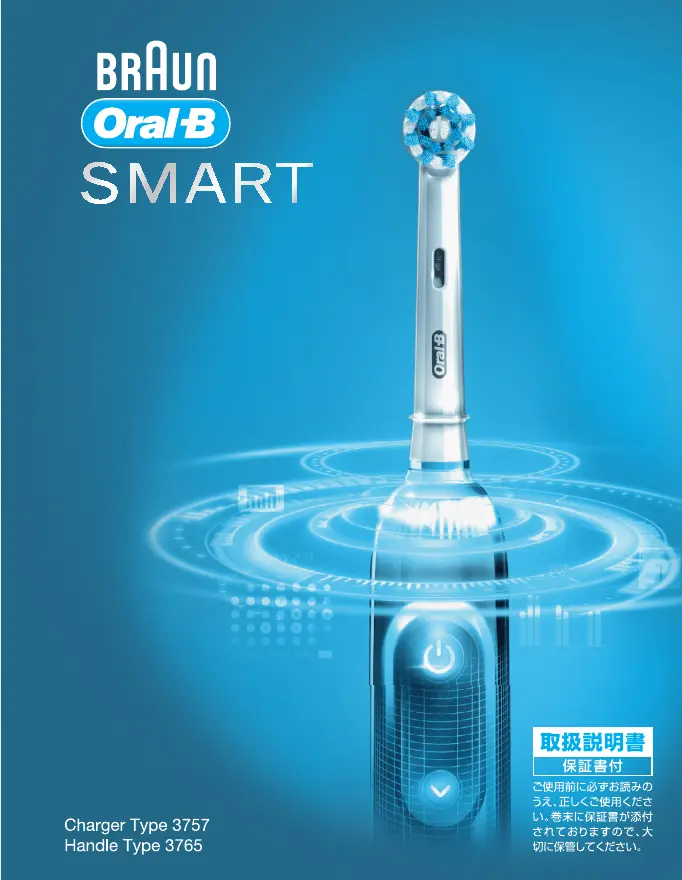
Braun Oral B Smart - User Manual

Braun Oral B Smart
27 pages
Print Icon
To Next Page IconTo Next Page
Loading...
91657528_D700_JP.indd 1 24.01.18 10:57
91657528_D700_JP.indd 191657528_D700_JP.indd 1 01.02.18 11:1101.02.18 11:11
Booklet, 120 x 155 mm, 28 pages (incl. 4 pages cover), 2/2c = black + PMS300u
CSS APPROVED Effective Date 27Feb2018 GMT - Printed 29Mar2018 Page 1 of 28

Questions and Answers

  • J
    Jasmine SanchezAug 15, 2025
    Why is my Braun Electric Toothbrush handle not working with the Oral-B app?
    • T
      tbradleyAug 15, 2025
      If your Braun Electric Toothbrush handle isn't operating with the Oral-B App, here's what you can check: * Make sure the Oral-B App is turned on. * Ensure Bluetooth is activated on your smartphone, referring to your phone's manual for instructions. * Activate radio transmission on the handle by pressing the on/off and mode buttons simultaneously for 2 seconds until the radio transmission display turns on. * Re-pair the handle and smartphone via the app settings, keeping your smartphone nearby during use. * Confirm your smartphone supports Bluetooth 4.0 (or higher)/ Bluetooth Smart, checking the App Store or Google Play for compatible smartphones. * Note that radio transmission is deactivated while the handle is on the plugged-in charger.
  • J
    Justin RoachAug 18, 2025
    What to do if my Braun Oral B Smart Electric Toothbrush handle does not charge?
    • D
      David StevensAug 18, 2025
      If your Braun Electric Toothbrush handle isn't charging, keep in mind: 1. If the battery has a very low charge, the charging lights might not flash immediately; allow up to 30 minutes. 2. The recommended ambient temperature for charging is 5 °C to 35 °C. Ensure the ambient temperature is within the valid range (? 0 °C and ? 60 °C).
  • M
    mark72Aug 22, 2025
    How to reset Braun Oral B Smart to factory settings?
    • A
      Amanda HernandezAug 22, 2025
      To reset your Braun Electric Toothbrush to factory settings to restore the original app functionality, press and hold the on/off button for 10 seconds until all indicator lights double blink simultaneously.
  • Y
    ypalmerAug 25, 2025
    What to do if Braun Electric Toothbrush handle does not charge?
    • M
      Michelle MitchellAug 25, 2025
      If your Braun Electric Toothbrush handle isn't charging, it could be due to the following reasons: * The battery may be at a very low charge level. The charging lights might not flash immediately and it can take up to 30 minutes. * The ambient temperature for charging may be out of the valid range. The recommended ambient temperature for charging is 5 °C to 35 °C.
  • S
    Susan WrightAug 28, 2025
    What to do if Braun Electric Toothbrush handle is not operating during first use?
    • K
      Kyle SmithAug 28, 2025
      If your Braun Electric Toothbrush handle isn't operating during its first use, it might be because the battery has a very low charge level. In this case, no lights will illuminate. Charge the handle for at least 30 minutes.
  • N
    Nina GarciaSep 1, 2025
    Why does my Braun Oral B Smart Electric Toothbrush make short stuttering sounds or flash every 30 seconds?
    • W
      wudylanSep 1, 2025
      The short stuttering sounds or flashing light every 30 seconds or after 2 minutes on your Braun Electric Toothbrush indicates that either the «Professional timer» or «2-Minute timer» is activated. To resolve this, set your timer to the 2-Minute timer (stuttering sounds/flashing light after 2 minutes) or to the Professional timer (stuttering sounds/flashing light every 30 seconds) by following the steps under «Timer setup». Alternatively, the timer may have been modified or deactivated via the app. Use the app to change the timer settings.
  • L
    larrysmithSep 3, 2025
    What does short stuttering sounds mean on Braun Oral B Smart Electric Toothbrush?
    • P
      Philip StarkSep 3, 2025
      The short stuttering sounds or flashing light every 30 seconds or after 2 minutes on your Braun Electric Toothbrush indicates that either the «Professional timer» or the «2-Minute timer» is activated. To resolve this, set your timer to the 2-Minute timer, which has stuttering sounds/flashing light after 2 minutes, or set it to the Professional timer, which has stuttering sounds/flashing light every 30 seconds. If the timer has been modified or deactivated via the app, use the app to change the timer setting.
  • A
    Alan GarciaSep 7, 2025
    What to do if my Braun Oral B Smart Electric Toothbrush is not working during first use?
    • R
      Rebecca FloresSep 7, 2025
      If your Braun Electric Toothbrush handle is not operating during the first use and no lights illuminate, it's likely that the battery has a very low charge level. Charge it for at least 30 minutes.

Summary

IMPORTANT

WARNING

Specific safety precautions regarding water, electrical hazards, and proper usage.

Important Information

For Taiwan only

Regulatory information and usage restrictions specific to Taiwan.

Description

Specifications

Charging and Operating

Using your toothbrush

Brushing technique

Step-by-step instructions for optimal brushing method and coverage.

Smart Ring features

Explanation of the Smart Ring's visual indicators and their meanings.

Timer

Details on the built-in timers and how they function during brushing.

Timer setup

Instructions on how to select and configure the brushing timer settings.

Brushing modes (depending on model)

Brush heads

Information on various Oral-B brush head types and their specific uses.

Connecting your toothbrush to your Smartphone

Cleaning recommendations

Instructions for cleaning and maintaining the toothbrush and its accessories.

Accessories (depending on model)

Details on optional accessories and their usage, like the travel case.

Environmental Notice

Information regarding the proper disposal of batteries and electronic waste.

Battery removal at the end of the products useful life

Procedures for safely removing and disposing of the product's battery.

Guarantee

Information

Warranty - Exclusions and Limitations

Specific conditions and situations that are not covered by the product warranty.

Using your smartphone holder

Guidance on positioning and using the smartphone holder accessory.

Warranty replacement brush heads

Information on warranty validity concerning the use of replacement brush heads.

Trouble Shooting

APP

Troubleshooting steps for issues related to the Oral-B mobile application.

TOOTHBRUSH

Troubleshooting steps for common problems with the toothbrush itself.

Braun Oral B Smart Specifications

General IconGeneral
CategoryElectric Toothbrush
Bluetooth ConnectivityYes
Pressure SensorYes
Number of Brushing Modes6
WaterproofYes
BrandOral-B
ModelSmart
Battery TypeLithium-ion
Charging Time12 hours
Power SourceBattery
Cleaning ModesDaily Clean, Gum Care, Sensitive, Whitening, Tongue Cleaning
Timer2-minute timer
CompatibilityOral-B App
Warranty2 years
Battery LifeUp to 12 days (when brushing 2 times a day for 2 minutes)
Brush HeadInterchangeable

Related product manuals