POWER AND BLUETOOTH
®
PAIRING
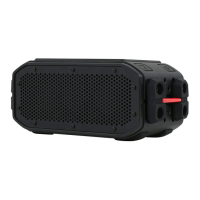
1. Press the Power button for 2-3 seconds to turn your BRV-360 on & off.
2. Activate Bluetooth
®
in the settings of your mobile device (check the user manual of
your device for further instruction).
3. Press and hold the Bluetooth
®
pairing button for 2-3 seconds until the audio
cue signals.
4. Select BRV-360 in your device’s Bluetooth
®
settings to establish the connection.
5. If your devices requests a passcode to connect, enter “0 0 0 0”.
6. Cancel Bluetooth
®
pairing mode by pressing the Bluetooth
®
button until the audio
cue signals.
Your BRV-360 remembers the last eight devices it paired with. Tap BRV-360 in your
Bluetooth
®
device menu to reconnect.
NOTE: If your BRAVEN is powered on with an inactive Bluetooth
®
connection for
30 minutes, it will automatically power off. Turn your BRAVEN on again by holding the
power button for 2-3 seconds until you hear the audio cue.
VOLUME AND PLAY BACK CONTROL
Increase volume by short pressing the “+” button or decrease volume by pressing the
“–” button. An audio cue will indicate when you’ve reached max volume.
Skip to the next trap by long pressing the “+” button or play the previous track by long
pressing the “–” button.
ENGLISH 2



 To Next Page