Need help?
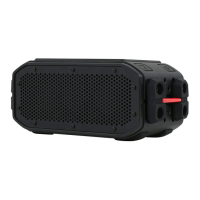
Do you have a question about the Braven 105 and is the answer not in the manual?
Explains the functions of the battery/pairing indicator light and control buttons.
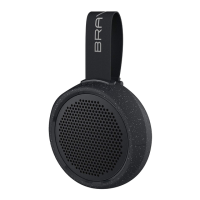
Identifies the charging port, audio-in jack, strap, and mounting insert.
Instructions for turning on the device and initiating Bluetooth pairing.
Steps to activate Bluetooth on the phone and select "BRAVEN 105".
Information on entering the passcode and the auto-shutoff feature.
Steps to turn off the speaker and re-enter pairing mode for new devices.
How to use the 'O' button to manage calls.
Guide for initial charging and connection methods.
Details the IPX7 rating and how to maintain waterproofing.
How to use the strap to attach the device to a backpack or bar.
Information on using the Action Mount with GoPro systems.
Details compatibility with tripods and other mounts.
Instructions for using the included desk stand.
Steps to locate, remove the pin, and separate the device from the stand.
Steps to release the strap, detach the mount, and store it safely.
Instructions for adjusting the angle, aligning, inserting the pin, and securing.
Warnings against exposing the device to rain, liquids, or heat.
Information on handling, charging, and disposing of the battery.
Guidelines on temperature limits and product care.
Specifies the A2DP Bluetooth profile requirement for device connection.
Details FCC compliance and RF exposure statement.
Information on Industry Canada compliance and RF exposure.
Warnings about battery replacement and proper disposal methods.
Compliance with California Energy Commission efficiency standards.
 General
| Product type | - |
|---|---|
| On/off switch | Yes |
| Product color | Black |
| Product design | Other |
| Protection features | Water resistant |
| International Protection (IP) code | IP67 |
| Bluetooth profiles | A2DP, HFP, HSF |
| USB connector type | Micro-USB |
| Connectivity technology | Wired & Wireless |
| Recommended usage | Universal |
| Battery capacity | 800 mAh |
| Power source type | Battery |
| Battery life (max) | 8 h |
| Number of speakers | 1 |
| Audio output channels | - channels |
| RMS rated power | - W |
 Weight and Dimensions
| Depth | 33 mm |
|---|---|
| Width | 97 mm |
| Weight | 200 g |

 To Next Page