5
ENG
ENGLISH
CHARGING YOUR BRAVEN WATERPROOF FEATURES
• Before using your BRAVEN for the
rst time, charge the unit until the LED
battery indicator light behind the grill
turns off.
• To charge your BRAVEN, plug
the included USB-to-Micro- USB
cable into a wall power adapter (not
included) or into a powered USB port
on a computer. Plug the Micro-USB
connector end of the cable into the
BRAVEN charging port.
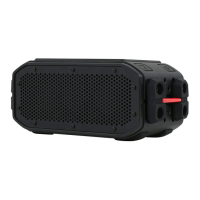
• The BRAVEN 105 is IPX7 waterproof,
and is designed to withstand rainfall,
waterjets, water splashing, and dunk in
the pool.
• IMPORTANT To ensure your BRAVEN
105 speaker is prepared for use in
a wet environment, remove all cable
connections and tightly close the
silicone ap which guards the charging
port and AUX input on the back of
the speaker. If this ap is not securely
fastened to the speaker, BRAVEN 105
will not be waterproof.



 To Next Page