EasyManua.ls Logo

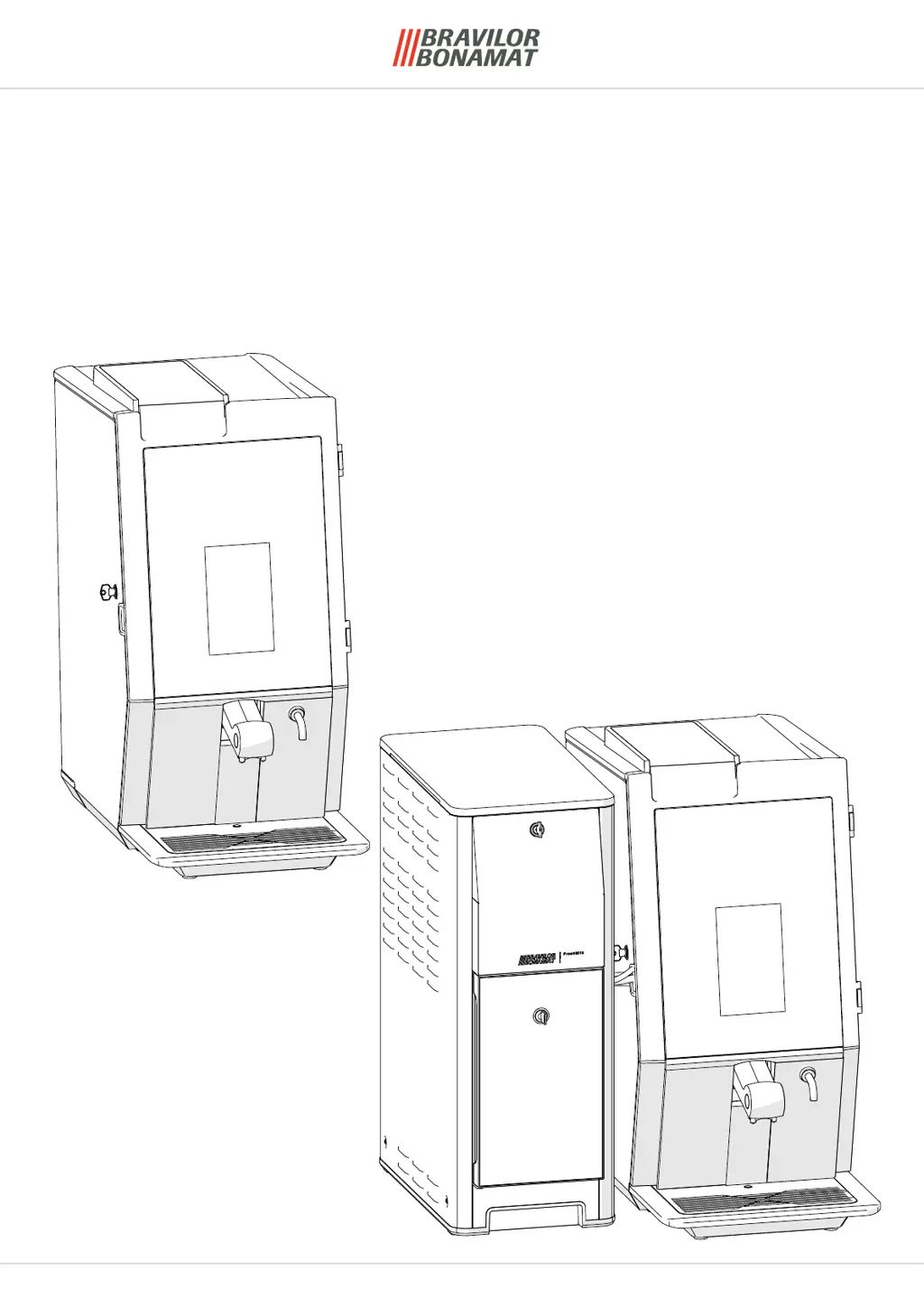
BRAVILOR BONAMAT Esprecious - User Manual

BRAVILOR BONAMAT Esprecious
52 pages
Print Icon
To Next Page IconTo Next Page
Loading...
Original document by manufacturer
version 1.0 | 2023-07-21
Technical manual - English
Esprecious
(from version 2.0)
and
FreshMilk
(from version 3.0)
TECHNICAL MANUAL

Table of Contents

Questions and Answers

  • M
    Meredith OwensAug 15, 2025
    Why does my BRAVILOR BONAMAT Commercial Food Equipment filling process take too long?
    • B
      Brian RamirezAug 15, 2025
      The filling process might be taking too long because the water inlet valve was open for 20 seconds without the float rising. To resolve this, ensure the water tap is open, check the water supply hose for kinks, and verify adequate water pressure and flow.
  • A
    andrewkimAug 18, 2025
    What to do if my BRAVILOR BONAMAT Commercial Food Equipment fills up 3 times without selection?
    • M
      Misty VillaAug 19, 2025
      If your equipment fills up three times without a drink selection, it's likely that the float is being activated without a corresponding drink order. Check the water system for any leaks and make sure the machine is positioned correctly.
  • P
    Patricia AdamsAug 21, 2025
    What to do if my BRAVILOR BONAMAT Commercial Food Equipment grinder runs insufficiently?
    • J
      joel13Aug 21, 2025
      If the grinder runs insufficiently, it might be because the software hasn't received pulses from the hall sensor for an extended period. Check for any blockages between the grinder discs to resolve this issue.
  • X
    xkeyAug 26, 2025
    What to do if my BRAVILOR BONAMAT Commercial Food Equipment mixer motor runs insufficiently?
    • S
      Stephen HallAug 26, 2025
      If the mixer motor runs insufficiently, the mix system may be clogged. To resolve this, clean the mix system.
  • J
    jamesjacksonAug 28, 2025
    What to do if my BRAVILOR BONAMAT Commercial Food Equipment canister motor runs insufficiently?
    • B
      bowersnancyAug 28, 2025
      If the canister motor runs insufficiently, it could be due to high resistance caused by too much powder in the canister. Try reducing the amount of powder in the canister.
  • T
    tayloraaronSep 1, 2025
    What to do if my BRAVILOR BONAMAT Commercial Food Equipment low-pressure pump runs insufficiently?
    • A
      April BrownSep 1, 2025
      If the low-pressure pump runs insufficiently, it could be because the light sensor isn't receiving enough pulses for too long. Check the low-pressure pump, unblock any blockage, and ensure proper wiring.
  • J
    Jesus JohnsonSep 4, 2025
    How to troubleshoot a communication error bus system on BRAVILOR BONAMAT Commercial Food Equipment?
    • A
      austinyoungSep 4, 2025
      To troubleshoot a communication error in the bus system, check all bus cables and components, including the canister motor, mixer motor, mainboard, and touch screen.
  • M
    Michael RobertsSep 8, 2025
    Why is the grinder on my BRAVILOR BONAMAT Commercial Food Equipment incorrectly controlled?
    • S
      Stephanie CabreraSep 8, 2025
      The grinder might be incorrectly controlled if a semiconductor on the mainboard is defective, causing the grinder to run without justification. Inspect the mainboard and clean any coffee (static) around the hall sensor.
  • W
    William ColeSep 12, 2025
    What to do if there is a break temperature sensor boiler in BRAVILOR BONAMAT Commercial Food Equipment?
    • C
      Cristina YorkSep 12, 2025
      If there is a break in the temperature sensor boiler, it means that the NTC measures a resistance higher than normal. Inspect the temperature sensor and its wiring.

Summary

Installation Requirements

Spare Parts Replacement Esprecious

Remove the Service Panel

Procedure for removing the machine's service panel for access.

Remove the Speaker

Steps to detach and remove the internal speaker component.

Remove the Mixer Motor

Detailed steps for removing the motor responsible for mixing ingredients.

Remove the Canister Motor

Guide to safely remove the motor for the ingredient canister.

Remove the Fan Motor

Instructions for disconnecting and removing the cooling fan motor.

Remove the Complete Grinder

Complete process for removing the entire coffee grinding unit.

Remove Grinder Parts

Steps for disassembling the grinder to access individual components.

Remove the Grinding Discs

Method for safely removing the upper and lower grinding discs.

Remove the Grinder Gear Wheel and Drive Belt

Process to detach the gear wheel and drive belt from the grinder.

Remove the Hall Sensor

Instructions for removing the Hall sensor from the grinder assembly.

Reassembly Remarks for Grinder Parts

Important notes and checks for correct reassembly of grinder parts.

Remove the Brewer

Guide for safely removing the brewing unit from the machine.

Remove the Mainboard

Steps to disconnect and remove the main electronic control board.

Remove the Transformer; Fuse

Procedure for accessing and replacing the power transformer and fuse.

Remove the (Optional) Interface Board

Instructions for removing the optional interface board for connectivity.

Remove the Inlet Valve

Steps to disconnect and remove the water inlet valve.

Remove the On;Off Switch

Guide for accessing and replacing the main power on/off switch.

Remove the Safety Switch Bean Canister

Procedure for removing the safety switch for the bean canister.

Remove the Water Counter

Steps to disconnect and remove the water volume measurement device.

Remove the Boiler (Parts)

Comprehensive guide to removing various parts of the heating boiler.

Reset the Boiler Thermostat

Instructions for resetting the boiler's thermal protection switch.

Remove the Thermostat

Steps for safely removing the boiler thermostat.

Remove the Temperature Sensor

Procedure for detaching the boiler's temperature sensor.

Remove the Hot Water Valve

Guide for removing the valve controlling hot water flow.

Remove the Boiler

Detailed process for completely removing the main steam boiler.

Remove the Pump Float Tank

Steps to detach and remove the float tank assembly for the pump.

Remove the Water Selector

Procedure for removing the component that directs water flow.

Remove the Beverage Outlet

Guide for removing the dispensing spout for beverages.

Remove the Frother (11 L; 21 L)

Instructions for detaching the milk frothing unit.

Remove the Waste Bin Safety Switch

Steps to remove the safety switch for the waste bin.

Reassembly Remarks for Waste Bin Safety Switch

Notes for correct reassembly of the waste bin safety switch.

Remove the Pump (Head)

Procedure for detaching the pump's head or motor unit.

Spare Parts Replacement FreshMilk

Replace the Milk Hose

Steps for replacing the hose that transports milk.

Remove the Peristaltic Pump (Motor)

Guide for removing the peristaltic pump and its motor.

Remove the Power Supply

Procedure for safely removing the machine's power supply unit.

Remove the Mainboard

Steps to disconnect and remove the main electronic control board.

Remove the Fuse

Instructions for accessing and replacing the main fuse.

Remove the Relay

Procedure for locating and removing an electrical relay.

Remove the Thermostat

Steps for safely removing the thermostat component.

Reassembly Remarks for Thermostat

Important considerations for reassembling the thermostat and capillary pipe.

Remove the Inlet Valve

Steps to disconnect and remove the water inlet valve.

Remove the 3-Way Valve(s)

Procedure for removing the multi-port valves.

Remove the Throttle Valve (Air Control)

Instructions for removing the air control throttle valve.

Remove the Fan

Guide for detaching and removing the machine's fan.

Steam Boiler Parts

Comprehensive guide to removing various parts of the steam boiler.

Drain the Steam Boiler

Procedure for safely draining the steam boiler before maintenance.

Remove the Steam Valve

Steps for detaching the valve from the steam boiler.

Remove Water Detection Sensor

Procedure for removing the sensor that detects water in the steam boiler.

Remove Complete Steam Boiler

Detailed process for completely removing the main steam boiler.

Troubleshooting

Esprecious Machine Errors

Lists common error codes for Esprecious machines and their causes.

Esprecious L (FreshMilk) Machine Errors

Lists common error codes for Esprecious L (FreshMilk) machines.

Coin Mechanism Errors

Identifies potential errors related to the coin mechanism.

Machine Messages

Explains common messages displayed by the machine and how to resolve them.

Other Problems

Covers various operational issues not covered by specific error codes.

Machine Related (Esprecious)

Troubleshooting for general machine operational issues in Esprecious.

Coffee Related

Addresses problems specific to coffee preparation and quality.

Instant Ingredients Related

Troubleshooting for issues with instant ingredient dispensing.

FreshMilk Machine Related

Troubleshooting for problems specific to the FreshMilk system.

Milk Related

Troubleshooting for issues concerning milk dispensing and foam quality.

Special Functions

Esprecious

Details special functions applicable to the Esprecious model.

Master PIN-code

Information on the master PIN code for overriding forgotten security PINs.

Overriding the First Install Program

Procedure to bypass or re-initiate the initial machine setup.

FreshMilk

Details special functions for the FreshMilk system.

Calibrate the Air Restriction

Steps to calibrate the air control for optimal milk foaming.

Reset the Micro Switch on the Pressure Switch

Instructions for resetting the pressure switch micro-switch.

Recipes (Ex-Factory)

Standard Esprecious Beverages;Recipes

Lists default beverage recipes and their preparation parameters for Esprecious.

Standard Esprecious L (FreshMilk) Beverages;Recipes

Lists default recipes for Esprecious L with FreshMilk system.

Premix Beverages

Details recipes for customized beverage blends using premixes.

Esprecious Accessories

Bean Canister Expansion Set

Information and installation of an expansion set for bean canisters.

Conversion Kit Esprecious - 7.270.612.101

Instructions for converting a standard Esprecious to an Esprecious L model.

Connect a MDB Device to Esprecious 11;21

Guide for connecting external MDB devices to the machine.

Cabling Diagram of the Esprecious 11;21

Wiring diagram for connecting MDB devices to Esprecious 11/21.

Cabling Diagram of the Esprecious 12;22

Wiring diagram for connecting MDB devices to Esprecious 12/22.

Cabling Diagram of the Esprecious 11 L;21 L

Wiring diagram for connecting MDB devices to Esprecious 11L/21L.

Waste Chute - 7.290.107.101

Instructions for installing an external waste chute accessory.

BRAVILOR BONAMAT Esprecious Specifications

General IconGeneral
Hot Water OutletYes
MaterialStainless steel
TypeBean-to-cup machine
Power supply220-240V/50-60Hz/1N
Water ConnectionYes
User InterfaceTouch screen
Voltage220-240V
ProgramsYes