2
|
VPULSE Connect User's Guide
Below are step-by-step instructions to install, access and print reports from the SD card assigned to each Breg
VPULSE System. To begin, you will need:
1. SD Card
2. SD Card reader
3. Computer and Internet Access
Software Installation Steps
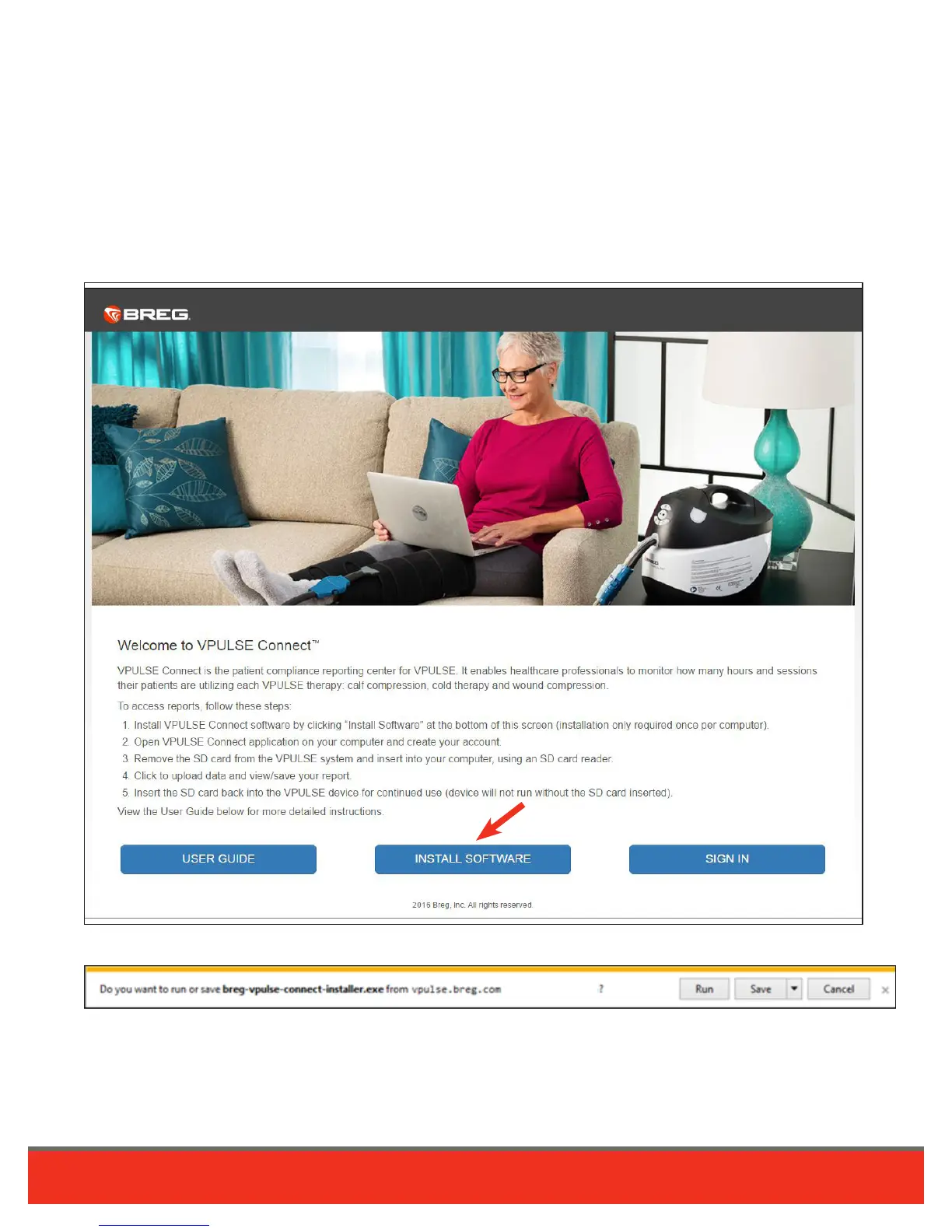
1. Download VPULSE Connect software. Visit breg.com/vpulseconnect and click “Install Software” button.
2. Save breg-vpulse-connect-installer.exe. Click Save File.
VPULSE Connect User’s Guide









 To Next Page