1
2
3
4
5
6
7
8
9
1
0
1
1
1
2
1
3
1
4
1
5
1
6
1
7
1
8
1
9
2
0
2
1
2
2
2
3
2
4
2
5
2
6
2
7
2
8
2
9
•
3
1
l
l
l
l
l
l
l
l
l
l
l
l
l
l
l
l
l
l
l
l
l
l
l
l
l
l
l
l
l
l
l
l
l
l
l
l
l
l
l
l
l
l
l
l
l
l
l
l
l
l
l
l
l
l
l
l
l
l
l
l
l
l
l
l
l
l
l
l
l
l
l
l
l
l
l
l
l
l
l
l
l
l
l
l
l
l
l
l
l
l
l
l
l
l
l
l
l
l
l
l
l
l
l
l
l
l
l
l
l
l
l
l
l
l
l
l
l
l
l
l
l
l
l
l
l
l
l
l
l
l
l
l
l
l
l
l
l
l
l
l
l
l
l
l
l
l
l
l
l
l
l
l
l
l
l
l
l
l
l
l
l
l
l
l
l
l
l
l
l
l
l
l
l
l
l
l
l
l
l
l
l
l
l
l
l
l
l
l
l
l
ll
l
l
l
l
l
l
l
l
l
l
l
l
l
l
l
l
l
l
l
l
l
l
ll
l
l
l
l
l
l
l
l
l
l
l
l
l
l
l
l
l
l
l
l
I
I
I
I
l
l
l
l
l
l
l
l
l
l
l
l
l
l
l
l
l
l
l
l
l
l
l
l
l
l
l
l
l
l
l
l
l
l
l
l
l
l
l
l
l
l
l
l
l
l
l
l
l
l
l
l
l
l
l
l
l
l
l
l
12
6
11
10
9
7
8
5
4
2
1
D
E
C
F
E
B
A
P
R
J
U
N
A
U
G
O
C
T
l
l
l
l
l
l
l
l
l
l
l
l
l
l
l
l
l
l
l
l
l
l
l
l
l
l
l
l
l
l
l
l
l
l
l
l
l
l
l
l
l
l
l
l
l
l
l
l
l
l
l
l
l
l
l
l
l
l
l
l
10
15
2535
45
55
C
H
R
O
N
O
G
R
A
P
H
-
P
E
R
P
E
T
U
A
L
D
A
T
E
3
6
5
4
3
2
1
7
C
A
L
E
N
D
E
R
C
H
R
O
N
O
5
1
2
TIMER
M
EM
O
5
3
1
+1+2
+3 ( ).
•
•
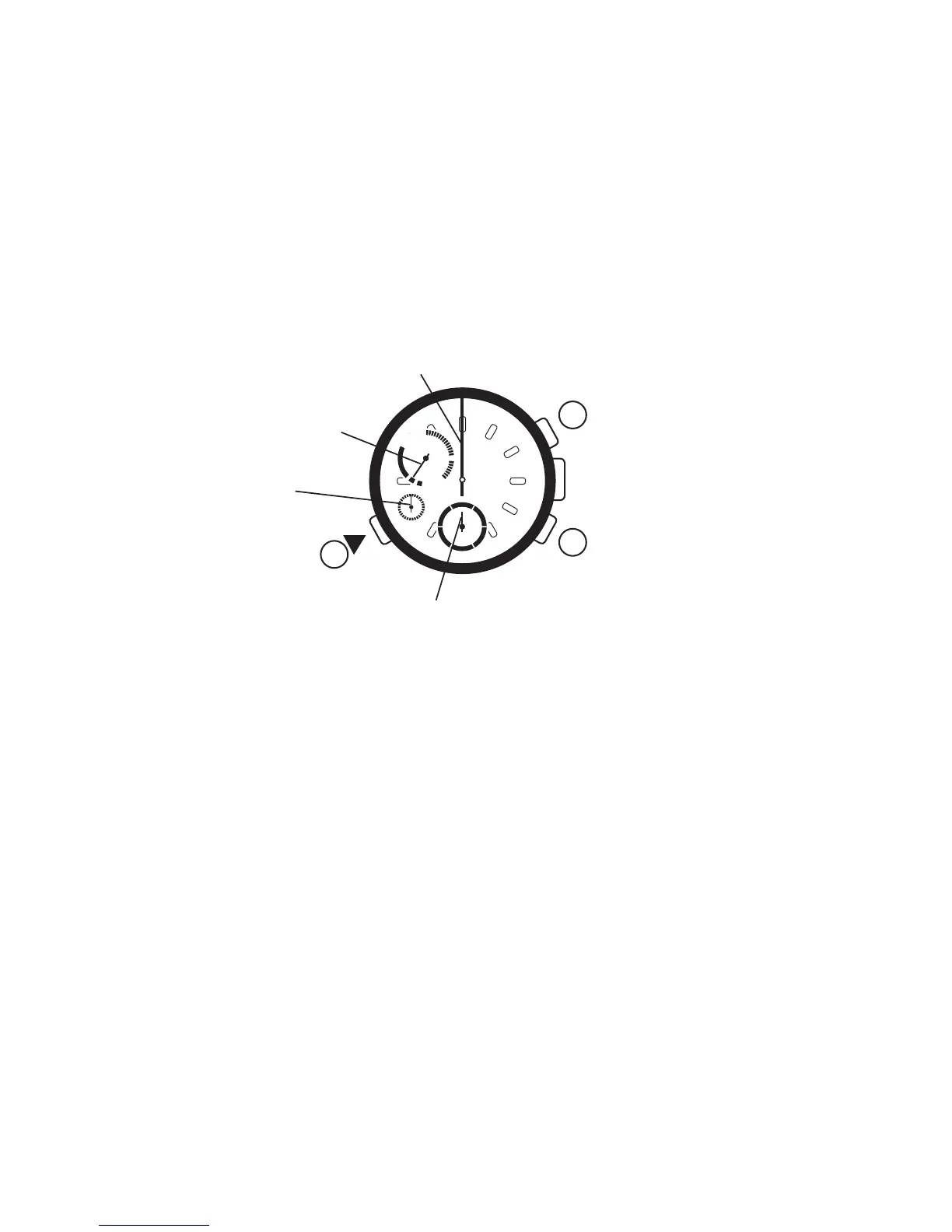
When the timer hour hand is at 0, the timer minute hand indicates 0 minutes.
When the timer hour hand is at 1, the timer minute hand indicates 60 minutes.
Press button 훿 to move the mode hand to the Timer I mode. When the timer mode
has been selected, the timer second hand will advance rapidly to the 12 o'clock
position. The timer minute and hour hands will advance rapidly to the position
selected the last time the timer was set.
The position of the timer minute hand is the same when it indicates 0 minutes or
60 minutes.
Which one of the two can be determined by checking the position of the timer hour
hand.
Timer hour hand
C
A
B
Start/Stop
Set/Fly back /Reset
Function mode change
1) Setting Timer I
Timer second hand
Timer minute hand
Mode hand
12


 To Next Page