EasyManua.ls Logo

BREL DD116 - Page 7

Default Icon
8 pages
Print Icon
To Next Page IconTo Next Page
To Previous Page IconTo Previous Page
Loading...
Page 7
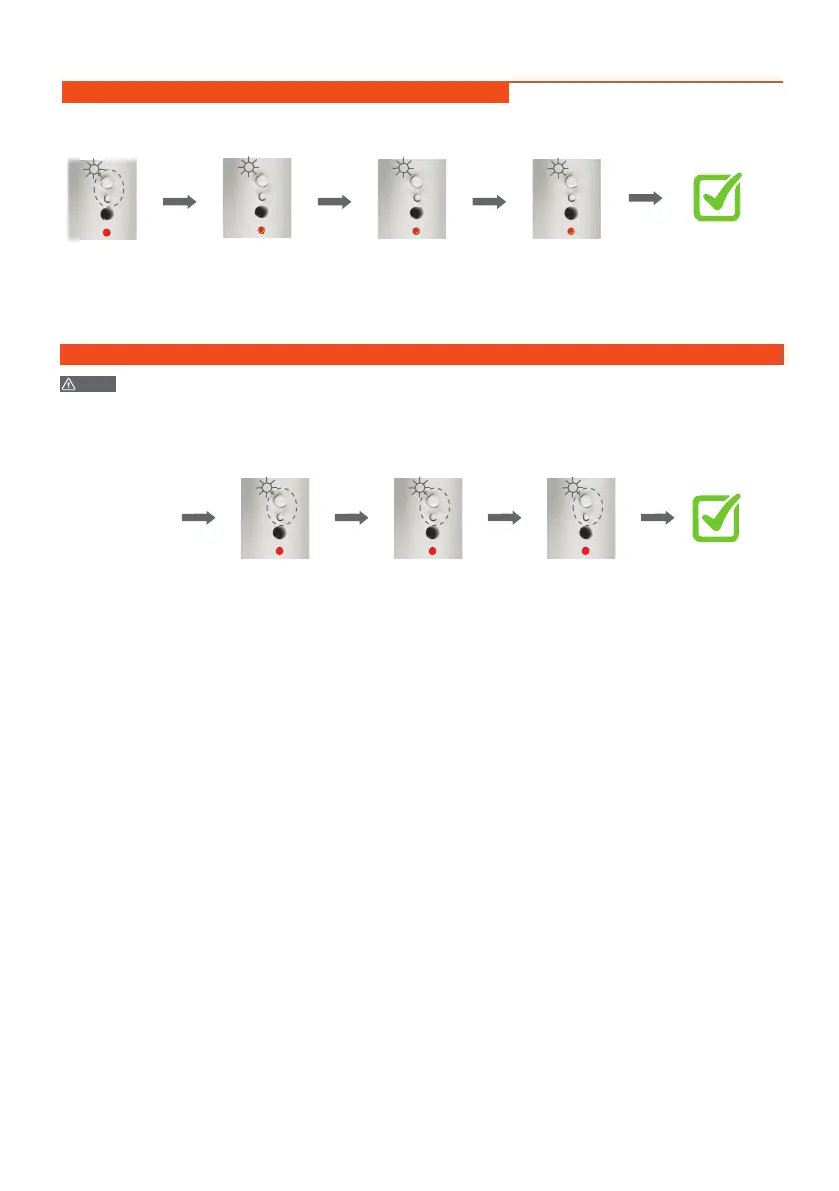
Bi-directional mode switch to uni-directional mode
Press and hold UP and
P2 button, don't release
Up
P2
Up
P2
Up
P2
After 3S, the LED
indicator will be long
bright once, don't
release the button
After 10S, the LED
indicator will be long
bright once, don't
release the button
Up
P2
After 10S, the LED
indicator will be long
bright once, release
the button
The mode has
been switched
successfully.
Flash×2
Switching DC116/DC116E/DC116F/DC116G Operation(Under Uni-directional Mode)
NOTE
The flashes times means different models; flash once is DC116, twice is DC116E, three times is DC116F
and four times is DC116G.
Up
P2
Up
P2
Up
P2
Uni-directional
mode
The flash times
means different
models
Flash×4
(UP+P2 button)×5s
The LED indicator is
always on, enter the
setting status
Press P2 to
switch the model