EasyManua.ls Logo

Brenell MINI 8 - Page 11

Default Icon
18 pages
Print Icon
To Next Page IconTo Next Page
To Previous Page IconTo Previous Page
Loading...
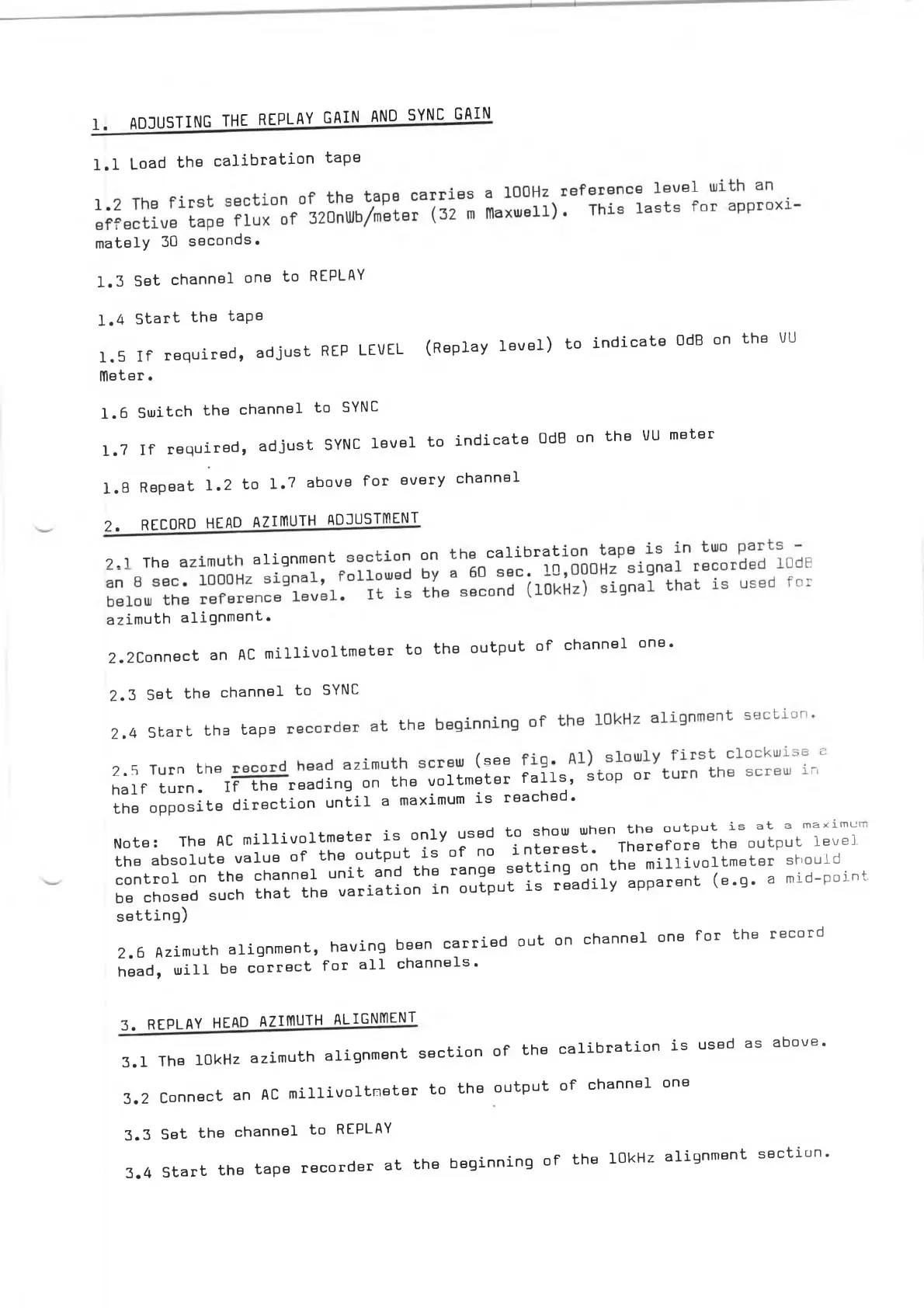
1.
ADJUSTING
THE
REPLAY
GAIN
AND
SYNC
GAIN
1.1
Load
the
calibration
tape
mately
30
seconds.
1
1.3
Set
channel
one
to
REPLAY
1,4
Start
the
tape
1.5
If
required,
adjust
REP
LEVEL
(Replay
level)
to
indicate
OdB
on
the
VU
lYleter.
1.6
1.7
Switch
the
channel
to
SYNC
If
required,
adjust
SYNC
level
to
indicate
OdB
on
the
VU
meter
1.8
Repeat
1.2
to
1.7
above
for
every
channel
2.
RECORD
HEAD
AZIMUTH
ADJUSTMENT
U
Th.
.it
•"
"S
azimuth
alignment.
2.2
Eonnect
an
AO
millivoltmeter
to
the
output
of
channel
one.
2.3
Set
the
channel
to
SYNC
2.«
S
t„t
th.
Up.
«h.
"
2.5
Turn
th.
<■«
half
turn.
If
the
reading
on
the
voltmeter
falls,
stop
or
the
opposite
direction
until
a
maximum
is
reached.
reached
.
Note:
The
AC
millivoltmeter
is
only
used
the
absolute
value
of
the
output
is
of
no
control
on
the
channel
unit
and
the
range
.
be
chosed
such
that
the
variation
in
output
is
to
show
when
the
output
is
at
a
maximui
interest.
Therefore
the
output
level
setting
on
the
millivoltmeter
should
readily
apparent
(e.g.
a
mid-point
setting)
2.6
Azimuth
alignment,
having
been
carried
out
head,
will
be
correct
for
all
channels.
on
channel
one
for
the
record
3,
REPLAY
HEAD
AZIIYÌUTH
ALIGNMENT
3.1
3.2
The
10kHz
azimuth
alignment
section
of
the
Connect
an
AC
millivoltmeter
to
the
output
calibration
is
used
as
of
channel
one
above
.
3.3
3.4
Set
the
channel
to
REPLAY
Start
the
tape
recorder
at
the
beginning
of
the
10kHz
alignment
section.