GB
Operating instructions PM 231 E
26
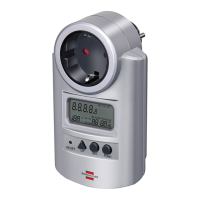
5.3 Location of Controls, Functions and Display
1 Battery compart-
ment
The battery compartment is
located at the rear of the unit. In-
sert 3 x LR44/AG13 button cells
according to the correct polarity,
as indicated inside the battery
compartment.
2 Display All values of set parameters and
measurements are displayed
here.
3 Reset button
RESET
Press with pointed object to clear
all data in memory including cur-
rent time and all programs.
4 UP button Set current time, price, price
programs in combination with
SET button.
5 SET button Set current time, price, price
programs in combination with UP
button.
6 FUNC button Press to change the display
mode.
7 Power plug Plug into an AC 230 V 50 Hz wall
outlet.


 To Next Page