1
2
3
REMOVAL - EXO FOR CHROMEBOOKS
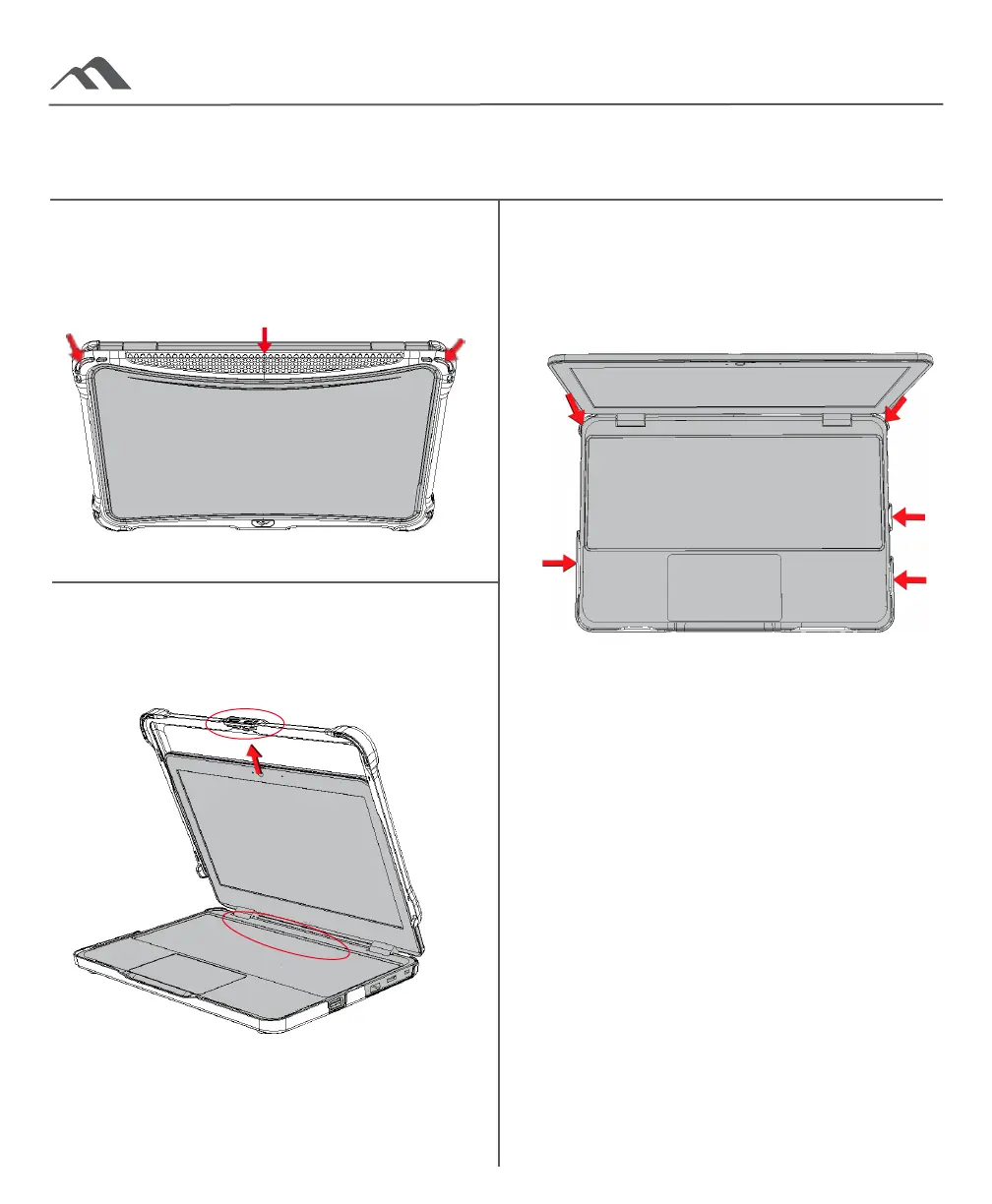
Bottom Case
With the device open, use your fingers to
push the back corner clips o of the device.
Continue using your fingers, pushing the
side clips o the device.
Top Case - Back Spine
With the device closed, pull the back corners
and back edge of the case o the device.
Ensure that the whole back edge has been
lifted from the device.
CRITICAL!
The monitor must be SLID out of the case. Failure
to do so through forecefully popping/pressing
the monitor out may cause damage to the device.
Top Case - Slide O
Open the device, keeping one hand on the
bottom part of the device and one hand to pull
the top case. Holding the case by the middle
lifter tab, slide the case o the device.



 To Previous Page