EasyManua.ls Logo

Bresser HomGar 7510100 - User Manual

Bresser HomGar 7510100
50 pages
Print Icon
To Next Page IconTo Next Page
Loading...
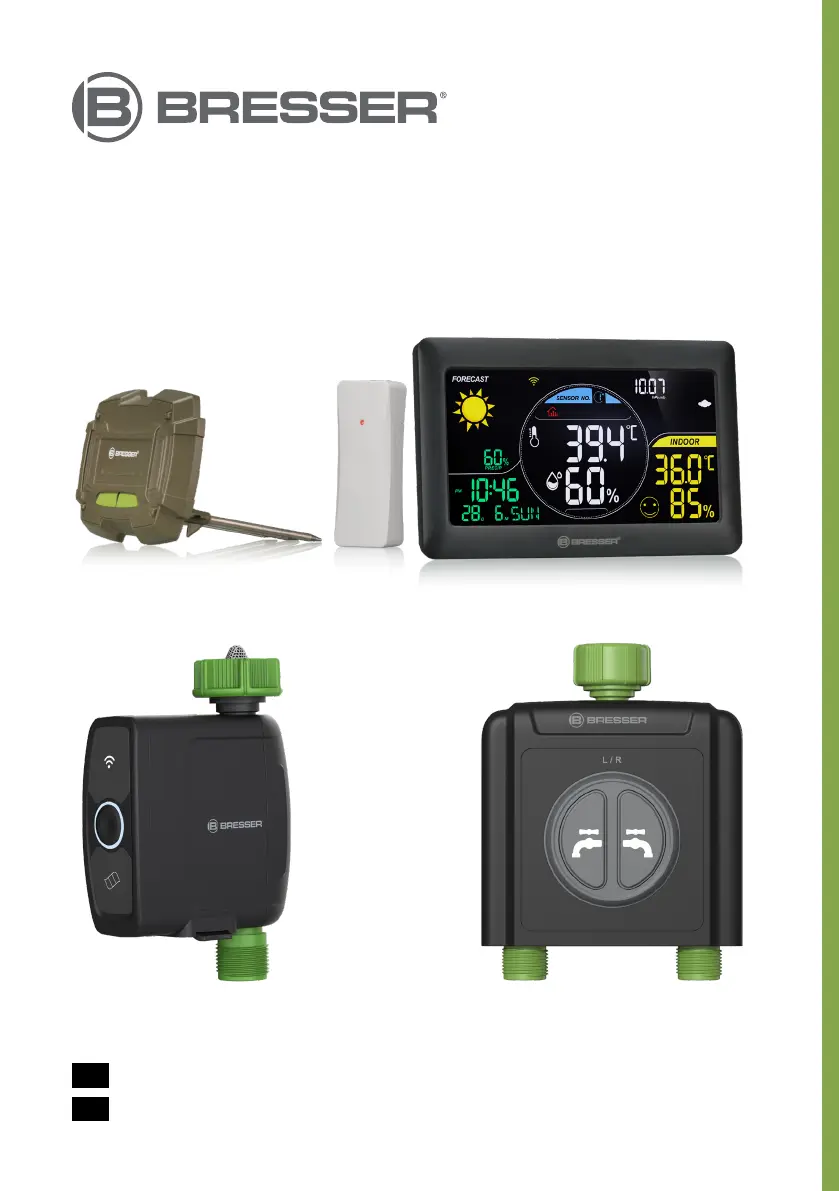
HomGar
devices
Art. No. 7510100/7510200
7910100 • 7910101 • 7910102
EN
INSTRUCTION MANUAL:
DE
BEDIENUNGSANLEITUNG:

Table of Contents

Questions and Answers

  • J
    Jillian CurryAug 4, 2025
    What to do if my Bresser HomGar 7510100 Home Automation device is offline?
    • J
      Jason SimmonsAug 5, 2025
      If your Bresser Home Automation device appears offline, first ensure that the battery is fully charged or that the power supply is working correctly. Also, check if the device has a poor network signal or is too far from the router.
  • C
    Christine DicksonAug 9, 2025
    Why does my Bresser Home Automation outdoor sensor drain batteries quickly?
    • H
      hortonjoseAug 9, 2025
      If your Bresser Home Automation outdoor sensor drains batteries quickly, consider these factors: * Check the distance and any obstructions between the outdoor sensor and the weather station. Sensors at the edge of the range might work with fresh batteries but fail as they weaken. * Inspect for leaking batteries, as they can damage the outdoor sensor. * Note that battery life should exceed 12 months when using branded alkaline batteries.
  • K
    kristi48Aug 15, 2025
    What to do if my Bresser HomGar 7510100 device keeps disconnecting?
    • W
      William LevyAug 15, 2025
      If your Bresser Home Automation device is disconnecting, try the following: * Change the batteries. * Consider distance or resistance issues between sensors or sub-devices and the weather station gateway. * Rotate the weather station gateway 90 degrees toward the sensors/sub-devices to improve reception. * Restart the device and try reconnecting it.
  • E
    elizabeth40Aug 20, 2025
    How to fix Bresser HomGar 7510100 Home Automation weather station gateway power problem?
    • T
      Tiffany CollinsAug 20, 2025
      The Bresser weather station is designed to primarily use a 5V power adapter; batteries serve only as a backup. If you're experiencing power issues, replace the power adapter, ensuring you use the correct adapter for the equipment.
  • A
    Allison PalmerAug 25, 2025
    Why is my Bresser Home Automation temperature/humidity reading inaccurate?
    • W
      walkerkimAug 26, 2025
      Inaccurate indoor temperature or humidity readings on your Bresser Home Automation system are often due to the display's location or using overpowered/underpowered batteries.
  • M
    Miss Christina AndersonAug 29, 2025
    What does HH.H/LL.L temperature value mean on my Bresser Home Automation device?
    • S
      Scott WaltersAug 29, 2025
      The display of HH.H/LL.L on your Bresser Home Automation device indicates that the temperature is higher or lower than the device's detection range.

Summary

General Safety Instructions

Safety Warnings and Precautions

Summarizes critical safety advice, including risks from radiation, suffocation, and property damage.

Intended Use

Defines the product's purpose for outdoor irrigation and private use.

Product Components Overview

Scope of Delivery

Lists all components included in the product package with visual aids.

Weather Station Parts Identification

Details numbered parts of the weather station display.

Water Timer and Sensor Component Details

Identifies specific parts for water timers, soil sensors, and the outdoor sensor.

Product Setup

Powering the Weather Station

Instructions for powering the weather station using mains power or batteries.

Installing the HomGar App

Requirements and steps to install the HomGar mobile application.

Pairing Weather Station with App (Smart WiFi)

Guides users through connecting the weather station to the HomGar app via WiFi.

Pairing Weather Station with App (AP Mode)

Provides an alternative method for pairing the weather station using AP mode.

Connecting Phone to Device Hotspot

Instructions on connecting your mobile device to the weather station's hotspot.

Pairing Outdoor Sensor

Connecting Thermo-Hygro Sensor

Step-by-step guide to pair the thermo-hygro outdoor sensor with the weather station/app.

Pairing Water Timer and Soil Sensor

Adding Sub-Devices to HomGar App

Instructions for pairing water timers and soil sensors as sub-devices within the HomGar app.

Water Timer Installation

Attaching Timer to Faucet

Guides on how to correctly attach the water timer to various faucet thread sizes.

Pairing Soil Sensor with Water Timer

Connecting Soil Sensor via App

Instructions for pairing the soil sensor with the water timer through the HomGar app.

HomGar App Operation

App Interface and Home Management

Introduces the HomGar app interface, home management, and device overview.

Device Settings and Plan Management

Details settings for the weather station device page and managing irrigation plans.

Adjusting Watering Plans and Charts

Instructions for creating, adjusting irrigation plans, and viewing charts.

Manual Control and Statistics

Explains how to view water usage statistics and perform manual misting or irrigation.

Advanced Watering Features

Rain Delay and Water Usage Correction

Details how to use the rain delay feature and correct water usage measurements.

Automatic Stop Irrigation Plan

Explains the automatic irrigation stop function based on soil moisture data.

Third-Party Voice Integration

Connecting with Alexa and Google Assistant

Guides on integrating the smart garden system with Amazon Alexa and Google Assistant.

Weather Station Features

Button Functions and Comfort Indicator

Explains button functions and the indoor comfort level indicator.

Weather Station Settings

Weather Forecast and Manual Adjustments

Covers weather forecast setup and manual settings on the station.

Backlight and Low Battery Alerts

Details backlight adjustment and the low battery alarm indicator.

Water Timer Operation and Troubleshooting

Manual Water Control

Instructions for manually controlling water supply for 1-zone and 2-zone timers.

Troubleshooting Common Issues

Addresses problems like power issues, battery drain, disconnections, and offline devices.

Warranty, Disposal, and Compliance

Warranty and Service Information

Outlines the warranty period and where to find service information.

Product Disposal Guidelines

Provides guidance on proper disposal of packaging and electronic devices.

Declarations of Conformity

Lists compliance declarations and links to official documentation.

Technical Specifications

Wireless and Measurement Specifications

Details wireless transmission, RF frequency, and measurement ranges/accuracy for sensors.

Water Timer and Power Specifications

Covers specifications for water timers, flow rates, and power supply requirements.

Bresser HomGar 7510100 Specifications

General IconGeneral
BrandBresser
ModelHomGar 7510100
CategoryHome Automation
LanguageEnglish