22
Screen display
1
13
3
4
8
10
5
12
6
9
2
7
11
14
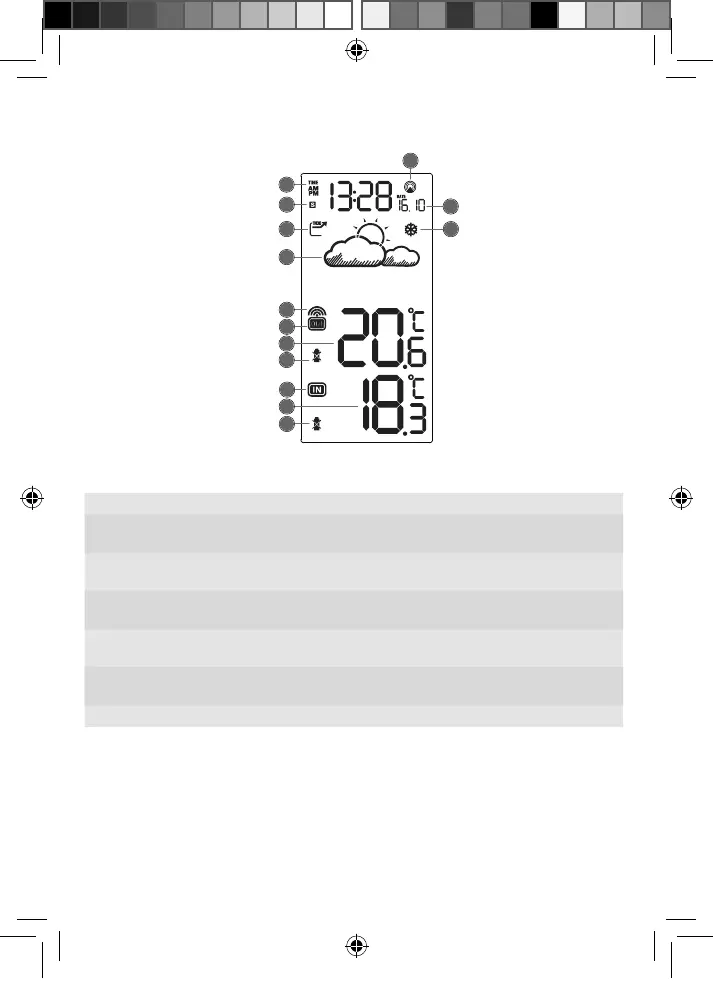
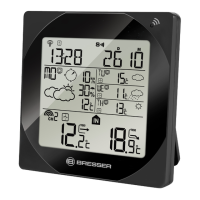
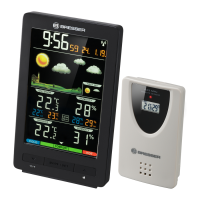
Fig. 2 Screen display of the base station
1 Time 2 Symbol for daylight saving time
3 Weather trend arrow 4 Graphical 12-24 hours weather
trend display
5 Signal reception symbol (remote
sensor)
6 Temperature range symbol
(remote sensor)
7 Outdoor temperature value
(remote sensor)
8 Battery level indicator (remote
sensor)
9 Temperature range symbol (base
station)
10 Indoor temperature value (base
station)
11 Battery level indicator (base
station)
12 Time signal transmission symbol
13 Day and month 14 Frost warning
Power supply
Base unit
1 Remove the battery compartment cover.
7
Manual_7004200-7004200000000_MeteoTemp_de-en_BRESSER_v022025.indb 22Manual_7004200-7004200000000_MeteoTemp_de-en_BRESSER_v022025.indb 22 26.02.2025 12:42:0326.02.2025 12:42:03




 To Next Page