EasyManua.ls Logo

Breville BSK200 - User Manual

Breville BSK200
12 pages
Print Icon
To Next Page IconTo Next Page
Loading...
Suits all BSK200 Kitchen Scale Models
BSK200_IB_FA.indd 1 5/5/09 2:59:48 PM
Question and Answer IconNeed help?

Do you have a question about the Breville BSK200 and is the answer not in the manual?

Summary

Breville Recommends Safety First

Know Your Breville Kitchen Scale

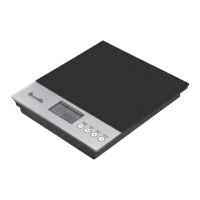
Weighing Platform

Details the components of the weighing platform, including the LCD screen, Timer, Unit, Zero, and Power buttons.

Specifications

Lists key technical specifications of the Breville Kitchen Scale, such as capacity, graduation, and battery type.

Operating Your Breville Kitchen Scale

Before first use

Instructions for initial setup, including unpacking, cleaning, and battery installation before first use.

Using the kitchen scale

Step-by-step guide on how to operate the kitchen scale for weighing items, including using the power button.

Using the ZERO button

Detailed instructions on using the ZERO button for taring and weighing items consecutively.

Using the UNIT button

Guide on using the UNIT button to switch between metric/imperial and weight/volume measurements.

Setting the TIMER

Instructions on how to set and use the timer function, including alarm sounds.

Monitoring ambient room temperature

Explanation of how the kitchen scale displays ambient room temperature and considerations for temperature changes.

Care, Cleaning and Storage

Care and cleaning

Guidelines for cleaning the kitchen scale to maintain hygiene and accuracy, including what products to avoid.

Storage

Recommendations for storing the kitchen scale safely and properly when not in use, including battery removal.

Breville 5 Year Kitchen Scale Guarantee

Breville Customer Service Centre

Australian Customers

Contact details and service information for Breville customers in Australia.

New Zealand Customers

Contact details and service information for Breville customers in New Zealand.

Summary

Breville Recommends Safety First

Know Your Breville Kitchen Scale

Weighing Platform

Details the components of the weighing platform, including the LCD screen, Timer, Unit, Zero, and Power buttons.

Specifications

Lists key technical specifications of the Breville Kitchen Scale, such as capacity, graduation, and battery type.

Operating Your Breville Kitchen Scale

Before first use

Instructions for initial setup, including unpacking, cleaning, and battery installation before first use.

Using the kitchen scale

Step-by-step guide on how to operate the kitchen scale for weighing items, including using the power button.

Using the ZERO button

Detailed instructions on using the ZERO button for taring and weighing items consecutively.

Using the UNIT button

Guide on using the UNIT button to switch between metric/imperial and weight/volume measurements.

Setting the TIMER

Instructions on how to set and use the timer function, including alarm sounds.

Monitoring ambient room temperature

Explanation of how the kitchen scale displays ambient room temperature and considerations for temperature changes.

Care, Cleaning and Storage

Care and cleaning

Guidelines for cleaning the kitchen scale to maintain hygiene and accuracy, including what products to avoid.

Storage

Recommendations for storing the kitchen scale safely and properly when not in use, including battery removal.

Breville 5 Year Kitchen Scale Guarantee

Breville Customer Service Centre

Australian Customers

Contact details and service information for Breville customers in Australia.

New Zealand Customers

Contact details and service information for Breville customers in New Zealand.

Breville BSK200 Specifications

General IconGeneral
DisplayLCD
Tare FunctionYes
Auto Shut OffYes
MaterialStainless Steel
Units of MeasurementGrams, Ounces
Accuracy1 gram
TypeDigital kitchen scale
Power Source3 x AAA Batteries

Related product manuals