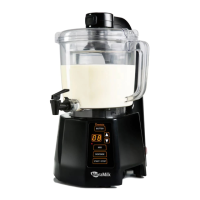
Making Alternative Butter
Assemble the NutraMilk
Assemble the NutraMilk (Continued)
QUICK
START
GUIDE
1
1
3
2
2
• Set the base on a flat
surface with arm tilted
up from the base.
• Place the mixing basin
on the center of the
base with spigot hole
towards the front (1).
• Twist basin to lock in
place (2).
• Insert neck of the
dispensing spigot into
hole at front of the
mixing basin until it
clicks into place (3).
• Rotate the lid counter-
clockwise to unlock
and remove.
• Insert the inner lter
within the mixing
basin and center it into
position.
• Add ingredients.
• Refer to User Manual
or Recipe Book for
recommended ingredient
measurements.
• Press the BUTTER button, then the START/STOP
button to start the butter cycle.
• Refer to User Manual or Recipe Book for
recommended processing times for various
ingredients.
What’s in the Box?
Lid
Mixing Basin
Motor Base
Wiper Blades
Cutting Blade
Dispensing
Spigot
Inner Filter
Recipe Book
Scan for Video
Cleaning Brush
• Carefully align cutting blade with center post of base
and press rmly to install.
WARNING: LACERATION HAZARD - Handle
blade carefully; it is very sharp. Make sure
unit is unplugged before installing or
removing blade.
• Place wiper blades into inner lter.
• Replace lid and twist
clockwise to lock into
place.
• Lower arm to lock into
top of lid.
• Plug the power cord
into a grounded wall
outlet. Refer to User
Manual for grounding
instructions.
• Press the power
switch at the back of
the appliance. The
LCD readout will
display “00”.

 Need help?
 General

 To Next Page