3.2 LAN Mode
1. Connect BEM104 with your routers or computer by Ethernet cable, and then power it on with
5 - 24VDC power supply. (see fig.1.1 at page 2)
2. Open any TCP test tool (if you don't have any, or you don't know what a TCP test tool is, you
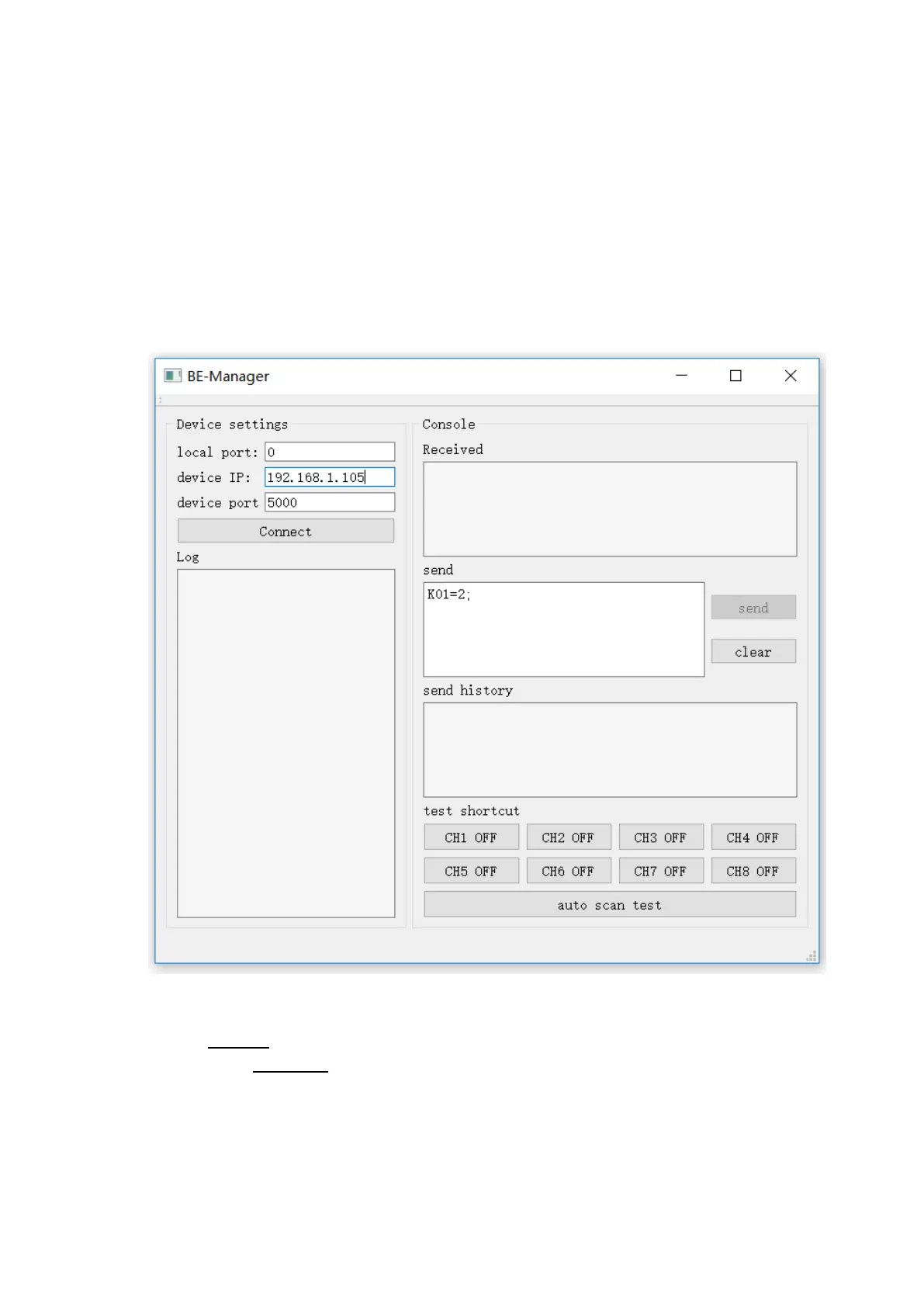
can use BE-Manager, it is within our software package). Open it and see the following Fig.1.2:
Fig.1.2
3. Click "Connect" button, and wait for module connected. Then, it is able control the relay
module. Click "CH1 OFF" button, and the relay channel 1 will be switched on. See Fig.1.3


 To Next Page