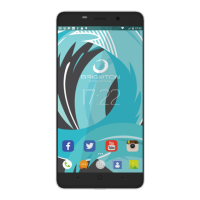
Need help?
Do you have a question about the Brigmton BPHONE-551QC and is the answer not in the manual?
Use only manufacturer-approved chargers for electrical safety.
Turn off the phone when directed by cabin crew or warning signs during flights.
Avoid listening at high volumes for extended periods to prevent hearing damage.
Comply with warning signs at petrol stations and in hazardous areas.
Keep phone away from electronic devices to avoid demagnetization.
Maintain 15cm distance from medical implants due to potential interference.
Switch off the phone in hospitals as instructed by signs or staff.
Do not use phone while driving; stop safely before making calls.
Identifies buttons and ports on the front of the device.
Identifies camera and flash on the rear of the device.
Instructions on how to safely remove the device's back cover.
Guide for inserting a SIM card into the device.
Procedure for safely removing the memory card from the device.
 General
| Brand | Brigmton |
|---|---|
| Model | BPHONE-551QC |
| Category | Cell Phone |
| Language | English |


 To Next Page