3
Inserting the MAXTRA PRO water filter
C
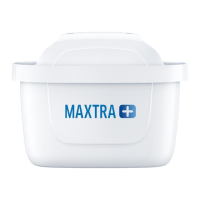
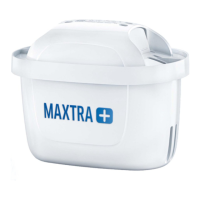
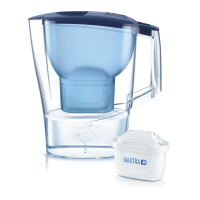
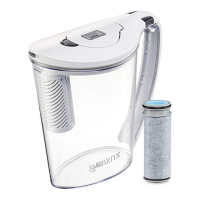
Insert the funnel into the jug and place the water filter firmly in
the funnel. Please push the water filter further downwards if the
water does not flow through. BRITA can only guarantee optimum
filtration if BRITA MAXTRA PRO water filters are used.
4
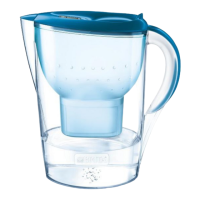
Filling the BRITA water filter jug
D
E
The water in the funnel is filtered automatically and flows into
thejug.
How the jug is filled will depend on the model or the type of lid.
5
Activating the MAXTRA PRO water filter
F
For optimal taste and performance please allow two full funnels of
tap water to pass through the filter before drinking.
To join BRITA in considering the environment, you can use this
filtered water to water your plants, for example.
6
Setting the water filter exchange indicator
How handy! The BRITA water filter jug will tell you when you need
a new water filter.
There are dierent exchange indicators for this in the lid:
BRITA Smart Light
G
H
I
Its intelligent sensor not only measures the time since the water
filter was last replaced, but also records the volume of filtered
water. Before using the jug for the first time (and after every time
you change the water filter), press the BRITA Smart Light reset
button for approx. 5 – 10 seconds until the LED indicator flashes
green three times.
The jug is now ready to use.
The flashing light indicates when you should replace the filter:
Green: The water filter is filtering optimally.
Yellow: It will soon be time to change the water filter. Think about
purchasing a new one!
Red: Please change the water filter!
You can check your filter status at any time by pressing briefly on
the BRITA Smart Light.
BRITA Memo
J
K
Remove the protective foil before using BRITA Memo for the first
time.
After activating the water filter, press and hold the “START” button
until four bars appear on the display and flash twice.
The flashing dot in the bottom right of the display unit means:
“Memo in operation”.
A new water filter is required if the empty display unit flashes.


 To Next Page