8
Ethernet Link / Act
LED
ON
: Ethernet Link Detected.
BLINKING
: Ethernet traffic detected.
OFF
: No Ethernet Link detected.
Buttons
WPS Button
Press it to enable PBC (Press Button Configuration) for WPS authentication.
When WPS function is started, the WLAN Link / Act LED will be blinking.
Group Button
Press 1 to 3 seconds ( until the Power LED blinking ) and release button:
this
will enter group pairing procedure(creating an encrypted PLC network).
In this procedure, the device starts joining into a logical network of other
device or announcing its network group name for other devices to join. This
maximum two-minute procedure automatically ends when it succeeds or is
manually stopped. Press this button 2 to 3 seconds will manually stop the
procedure.
Press 10 seconds (until Power LED blink once and PLC LED off):
clear the
current and randomly generate a new network group name.
Power Button
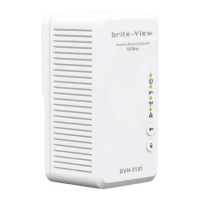
Push to turn on and off the power of PWQ-5101
Reset Button
(inside the needle
pin hole)
Press the button when the device is powered on (not standby) to complete
following functions:
Pushing 1 second and release :
will make both PLC and Wi-Fi FW settings
back to factory default.
NOTE
: Every new PLC devices’ factory default PLC network group name is
HomePlugAV. During trouble shooting the powerline network group
assignment, doing this to every PLC devices will make each device return to
default network group, thus ensure their mutual communicability.



 To Next Page