
 Need help?
Do you have a question about the Broadcast SoloCAM Series and is the answer not in the manual?
Initial draft of the SoloCAM user manual, dated March 31, 2020.
Corrected version of the SoloCAM user manual, dated April 2, 2020.
Describes the manual is split into two sections: User Guide and Technical Section.
All products have a 12-month 'Return to Base' warranty. Contact support for failures.
Equipment return requires an RMA form and number, obtained from the support team.
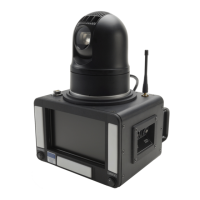
Basic system for self-operation with IR remote, weatherproof, HD PTZ camera, and lighting.
Adds remote control via studio gallery/IFB, cloud-based control, dial-up IFB, GPS, and DMX lighting.
Includes integrated IP streaming with HEVC encoder and SRT support for optimized performance.
Lists use cases like news events, second cameras, security, home studios, and remote productions.
Operate within specified environmental limits and only allow trained personnel to access the product interior.
Lists EMC and safety standards the equipment meets, including EN 61000 and EN 60950.
Details items included: Base Unit, Camera Unit, Power Supply, Remote, and Tripod.
Instructions on setting the tripod head to horizontal and extending the head support.
Identifies rear panel connectors: DC Output, Streaming, Camera Video Input, Camera Power/Control, Monitor Ext Input, DMX, DC Input.
Details left side panel connectors: IFB Ear piece Out and MIC Input.
Describes right side panel connectors: Video Out and External IFB Input.
Explains controls on the remote unit, including Iris, Lighting, Pan/Tilt, Zoom, and Monitor selection.
Covers powering the unit and connecting microphone, earpiece, and video output for transmission.
Tips on positioning, focus, iris control, and using built-in lighting for optimal picture quality.
How to use the screen for shot setting, as a mirror, and for displaying external signals like Autocue.
Instructions for inserting the SIM card and connecting to the network for remote control.
Steps to access the cloud-based control server via a web browser using provided login details.
Details on camera controls (Iris, Focus, Zoom, Pan/Tilt) and monitor functions.
Information on built-in lighting, presets, GPS mapping, and remote camera mounting.
Using DeviceFinder to locate the unit and overview of the Sapphire HEVC 4K Encoder interface.
Details on setting video format, bitrate, and other parameters in the encoder's config tab.
Explains audio configuration and setting up UDP, RTP, or SRT streaming protocols.
Information on using the BWS Rebro server for secure streaming through IT firewalls.
Lists connectors, camera resolution, pan/tilt, zoom, and video/audio output formats.
Details power sources, control methods, dimensions, weight, and environmental suitability.
Encoder format/latency and a list of all items included in the SoloCAM kit.
Detailed pinout diagrams for 12VDC OUT, Network/Streaming, Camera Video I/P, Camera PWR/CTRL, Monitor EXT I/P, DMX, DC INPUT.
Pinout details for IFB Ear piece OUT, MIC INPUT, VIDEO OUT, and EXTERNAL IFB INPUT.
 General
| Brand | Broadcast |
|---|---|
| Model | SoloCAM Series |
| Category | Microphone system |
| Language | English |

 To Next Page