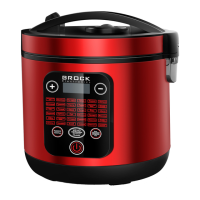
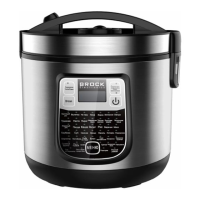
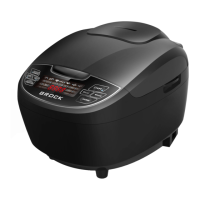
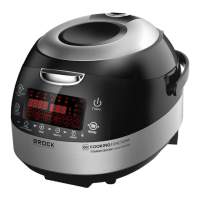
For example: if you cooking rice, the “rice ” function key indicator light will twinkle.
3. Cancel:
Press “cancel” key to cancel the function your choose, or cancel the function that you are cooking,
the LED display will turn back to “88:88”
4. Keep warm:
After the cooking finished, it will keep warm automatically. The “keep warm” indicator lights up
automatically, and the LED display will show “——:——”. Can be keep warm for 24 hours.
Remark: “cancel” and “keep warm” are the same key. Press the key one time,it will be “Cancel”,
and long press it,it will be “keep warm”.
FUNCTIONS
1. Rice
For regular rice.
Default cooking time: 45 minutes. This function is not adjustable.
2. Soup
Can cook the soup with food materials.
Default cooking time: 60 min. Adjustable from 5 min to 2 hours 55 min.
3. Porridge
Can cook milk porridge.
Default cooking time: 60 min. Adjustable from 5 min to 2 hours 55 min
4.Yoghurt
Can make the yoghurt.
Default cooking time: 6 hours. Adjustable from 6 hours to 12 hours
(Remark: This function would not keep warm)
5. Reheat
Can make the food hot again.
Default cooking time: 25 min. Adjustable from 5 min to 2 hours 55 min
6. Fry
For fried chicken, French fried potatoes, onion rings and so on.
Default cooking time: 25 min. Adjustable from 5 min to 2 hours 55 min
7. Cake
For cake baking.
Default cooking time: 50 min. Adjustable from 5 min to 2 hours 55 min
8. Stew
Can stew any kind of meat as you like.
Default cooking time: 45 min. Adjustable from 45 min to 2 hours 55 min
9. Steam
Can steam sea food or vegetables.
Default cooking time: 30 min. Adjustable from 5 min to 2 hours 55 min
10. Milk
For heating the milk.
Default cooking time: 10 min. Adjustable from 5 min to 2 hours 55 min
*Each function can adjust the cooking time as described above.
QUESTIONS
1. How to set cooking time?
After you chose a program, the display will show the default cooking time, then touch the
COOKING TIME/ PRESET (ОТЛОЖЕННЫЙ СТАРТ/ВРЕМЯ ПРИГОТАВЛЕНИЯ) button , the
circle light of the button will be red , then press + ,- to set the desired time, then START (ПУСК) .
* the circle light of the button COOKING TIME/PREST (ОТЛОЖЕННЫЙ СТАРТ/ВРЕМЯ
ПРИГОТАВЛЕНИЯ) and START (ПУСК) will turn on and to be red when cooking.
2. How to use preset timer?
Choose a program, and then touch the COOKING TIME /PRESET (ОТЛОЖЕННЫЙ
СТАРТ/ВРЕМЯ ПРИГОТАВЛЕНИЯ) button twice until the circle light of the button turns to be


 To Next Page