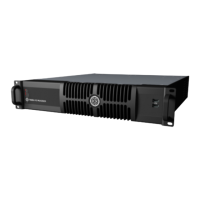
Need help?
Do you have a question about the Brompton TESSERA SX40 and is the answer not in the manual?
Contact details and availability for EU customer support.
Contact details and availability for US customer support.
List of changes for version V3.0 Rev B.
List of changes for version V3.0 Rev A.
List of changes for version V2.3 Rev A.
Overview of the Tessera system components.
Guidelines for safely handling and operating the processors.
Introduction to Brompton Technology's Tessera LED processors.
General overview of the Tessera system and its control methods.
Detailed explanation of the Tessera SX40 LED Processor.
Detailed explanation of the Tessera S8 LED Processor.
Detailed explanation of the Tessera M2 LED Processor.
Detailed explanation of the Tessera S4 LED Processor.
Detailed explanation of the Tessera T1 LED Processor.
Step-by-step guide to setting up a Tessera LED Processor.
Guide to setting up a new project in Tessera software.
Instructions on how to connect fixtures to the processor.
Detailed guide on connecting fixtures to the system.
Best practices and guidelines for system connections.
How to configure redundancy for system reliability.
Information on the pixel capacity per output port.
Guidance on using different processor types together.
How to access and use the local user interface.
Introduction to Tessera Remote and its offline editor.
Step-by-step guide for installing Tessera Remote on Windows.
Step-by-step guide for installing Tessera Remote on Mac OS X.
How to configure network settings for remote management.
Guide on connecting to a Tessera LED Processor via network.
Methods for controlling multiple processors simultaneously.
Lists the HDR formats supported by Tessera processors.
Explains the features related to High Dynamic Range.
Detailed explanation of Dynamic Calibration and its benefits.
How to manage projects, including opening and importing.
How to enable HDR functionality in project setup.
Information on supported canvas resolutions.
Explanation and configuration of Low Latency Mode.
Details on mapping modes like 1:1 and Interpolated.
Understanding and using fixture libraries.
How to access and modify fixture properties.
Information and settings related to the fixture's R2 receiver card.
On-Screen Display features and controls.
How Studio Mode improves image quality at low brightness.
Feature to mitigate visual artefacts related to LED thermal sensitivity.
Options available when right-clicking a fixture.
Workflows for adding fixtures to a project.
Understanding and using sub-fixtures in the Tessera system.
Explains how fixtures are connected and associated.
Tools and methods for arranging fixtures on the canvas.
Overview of the Canvas View and its tools.
Storing and recalling settings on the processor using presets.
Viewing processor processes and errors.
Navigation controls within the canvas view.
Exporting canvas images, device layouts, and discovered devices.
Viewing comprehensive information about detected fixtures.
Visualizing the network topology of processors, XD Units, and fixtures.
Selecting and controlling incoming video sources.
Information on HD sources for M2, T1, and S4 processors.
Information on 4K sources for SX40 and S8 processors.
Viewing metadata from HDR sources via HDMI.
Controls to set incoming content properties like colour format.
Controls for adjusting colour properties of the input signal.
Using histograms to analyze colour and brightness distribution.
Support for scaling and cropping incoming feeds.
Support for scaling and cropping incoming feeds.
Understanding and modifying the active area on the canvas.
Advanced colour correction features.
Using built-in test patterns to check fixture performance.
Loading custom images or capturing video as test patterns.
Using pre-programmed test patterns within individual fixtures.
Pausing video or displaying black output on fixtures.
Configuring front panel buttons for freeze/blackout functions.
Adjusting light output and brightness of fixtures.
Adjusting the white balance of attached fixtures.
Adjusting brightness of mid-tones in the image.
Improving visual quality of output at low brightness.
Correcting non-linear response of panel RGB LEDs.
Modifying input source luminosity and RGB channel levels.
Reducing banding and improving image quality at low brightness.
Fixture-based seam and colour adjustment features.
Interface for managing input/output colour spaces and panel brightness.
Displaying and monitoring network load on outputs.
Understanding and setting network bit depth.
Configuring additional video delay for latency matching.
Configuring genlock settings for synchronization.
Reducing end-to-end latency to 1 frame.
Support for higher frame rates up to 144 fps.
How to enable and disable live control.
Understanding parameter indicators when Live Control is active.
Using and creating control profiles for DMX, Art-Net, sACN.
Configuring the processor for DMX control.
Configuring the processor for Art-Net or sACN control.
Using the Tessera Control application for processor management.
General processor settings including identification and network.
General settings like auto-load and keyboard layout.
Applying and managing passwords for processor security.
Setting the processor's date and time.
Understanding concepts related to fixture packs and libraries.
General preferences for the user interface.
Configuring crash reporting and pause duration.
How to revert the processor to factory default settings.
Clearing the processor's memory and storage.
Updating or reloading the processor's software and firmware.
Viewing current setup, hardware, and software conditions.
Information on software version, license, and contact details.
Global keyboard shortcuts for common actions.
Keyboard shortcuts for canvas navigation and manipulation.
Keyboard shortcuts used while adding fixtures.
Keyboard shortcuts for OSCA mode operations.
Details on required copper and fibre cables.
Specific requirements for fibre optic cable connections.
Specific requirements for copper cable connections.
Compatibility and recommendations for 10G Ethernet.
Guide to setting IP addresses on Windows systems.
Guide to setting IP addresses on Mac OS X systems.
Example DMX channel assignments for processor profiles.
Terms and conditions of the product warranty.
 General
| Light Source | LED |
|---|---|
| Power Consumption | 40W |
| Housing Material | Aluminum |
| Dimming | Yes |
| Control | DMX512 |

 To Next Page