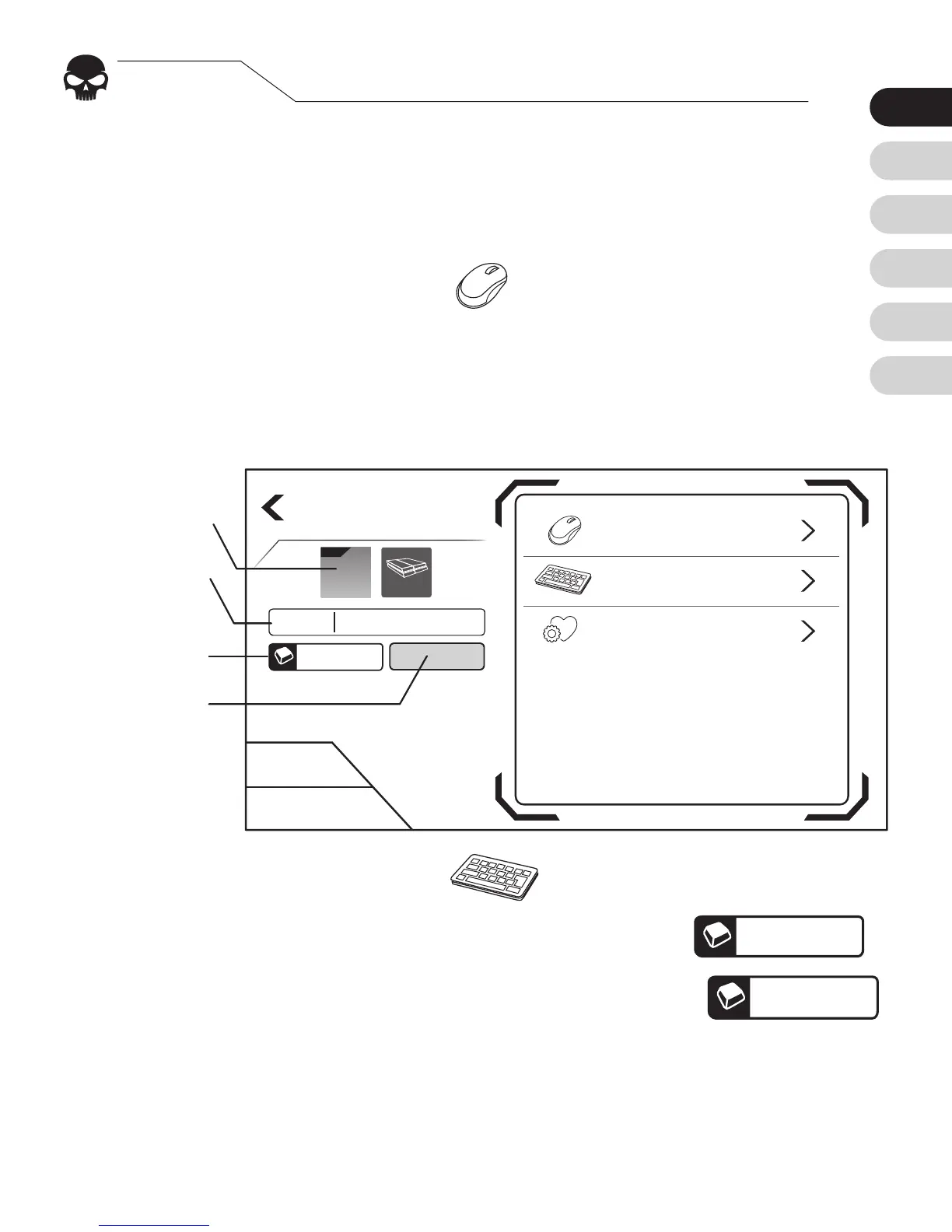
On the left side of the screen, you can edit:
1. Cong Image 2. File name 3. Hotkeys
4. Indicator lights
Clicking the
Mouse
icon to the right, you can edit
these mouse functions:
1. Sensitivity 2. Dead zone 3. Mouse movement speed
→
You may press Save to complete edition
STEP. 5
Edit congurations
Click the
Keyboard
icon to remap buttons:
1. Press the controller button you want to edit.
G
2. When the application displays “Listening…”
press the new key on your keyboard or mouse.
3. Repeat steps 1 and 2 until all keys are set.
→
You may press Save to complete edition
Cancel
Save
Edit Config
Keyboard
Preferences
Mouse
Config 1
F2


 To Next Page