Need help?
Do you have a question about the Brook UFB-UP5 and is the answer not in the manual?
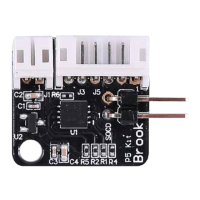
Identifies the 6-pin connector used for signal lines in the layout.
Identifies the 2-pin connector used for power cables in the layout.
Illustrates the connection between the UFB and the UFB-UP5 upgrade kit.
Explains connecting PS4+ Audio to the UFB-UP5.
Outlines the connection for PS3/PS4 FB Plus with UFB-UP5.
Verifies the presence of the wafer connector at J2 or requires soldering it.
Connects signal and power cables to UFB-UP5 and UFB, noting wire color conventions.
Guides users to download the latest UFB firmware from the Brook website.
Details pressing specific buttons before connecting the device to a PC/laptop.
 General
| Brand | Brook |
|---|---|
| Model | UFB-UP5 |
| Category | Video Gaming Accessories |
| Language | English |

 To Next Page