
 Need help?
Do you have a question about the BROOKING INDUSTRIES BLINKCAST and is the answer not in the manual?
Explains the BlinkCast Programmer's software and programming modes, covering Express and Save & Burn functionalities.
Details the wiring instructions for both the Express/PC mode and the Save & Burn mode for programming.
Guides through the process of downloading and installing the BlinkCast software on a computer.
Introduces the main components and layout of the BlinkCast Programmer configuration utility.
Details functions for creating, opening, saving, and updating configuration files (.bc) and software.
Explains how to manage, sort, and create individual setting items within the software interface.
Describes the Setting Page, connection status indicators, and configuration options for lightheads.
Details the 'Express' mode for direct lighthead programming from a PC, including preview options.
Explains how to preview settings for each function wire on the lighthead itself.
Introduces the Programmer Page interface, covering import/export, memory buttons, and connection status.
Guides on exporting created settings from the software to the BlinkCast Programmer module.
Explains how to import saved settings from the BlinkCast Programmer back to the PC for modification.
Step-by-step guide on saving a created setting item to the BlinkCast Programmer module.
Detailed steps for configuring lightheads directly via PC using the 'Express' mode without exporting to the programmer.
Instructions for configuring lightheads using the BlinkCast Programmer as a standalone device (Save & Burn mode).
Frequently Asked Questions and their solutions for common issues encountered with the programmer and software.
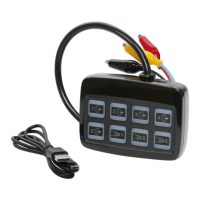
The Brooking Industries BlinkCast Programmer is a sophisticated tool designed for efficient and precise configuration of M-series lightheads, significantly reducing installation time and complexity. It streamlines the process of setting flash patterns, color modes, and groups/phases, eliminating the need for tedious wire tapping methods associated with older models. This leads to improved installer efficiency, saving both time and money.
The BlinkCast Programmer offers two primary programming modes: "Express Mode" and "Save & Burn Mode."
Express Mode: This mode allows users to configure lightheads directly from a host PC. The BlinkCast User Interface (UI) software, residing on the PC, is used to burn user-defined settings directly into the lightheads. This is ideal for immediate programming and testing.
Save & Burn Mode: This mode enables users to export user-defined settings to the BlinkCast Programmer module itself, facilitating mobile or "on-the-fly" programming without the continuous need for a host PC. Once settings are saved to the module, they can be uploaded to lightheads independently.
The device's software, the "BlinkCast Programmer Configuration Utility," provides a comprehensive interface for managing settings. Key features of the software include:
.bc extension..exe file downloads, or use a .bat file provided by Brooking Industries to manage security settings during installation.The BlinkCast Programmer is designed to be a user-friendly and efficient solution for managing and programming Brooking Industries' M-series lightheads, offering flexibility for both PC-connected and mobile programming scenarios.
 General
| Brand | BROOKING INDUSTRIES |
|---|---|
| Model | BLINKCAST |
| Category | Motherboard |
| Language | English |

 To Next Page