6 7
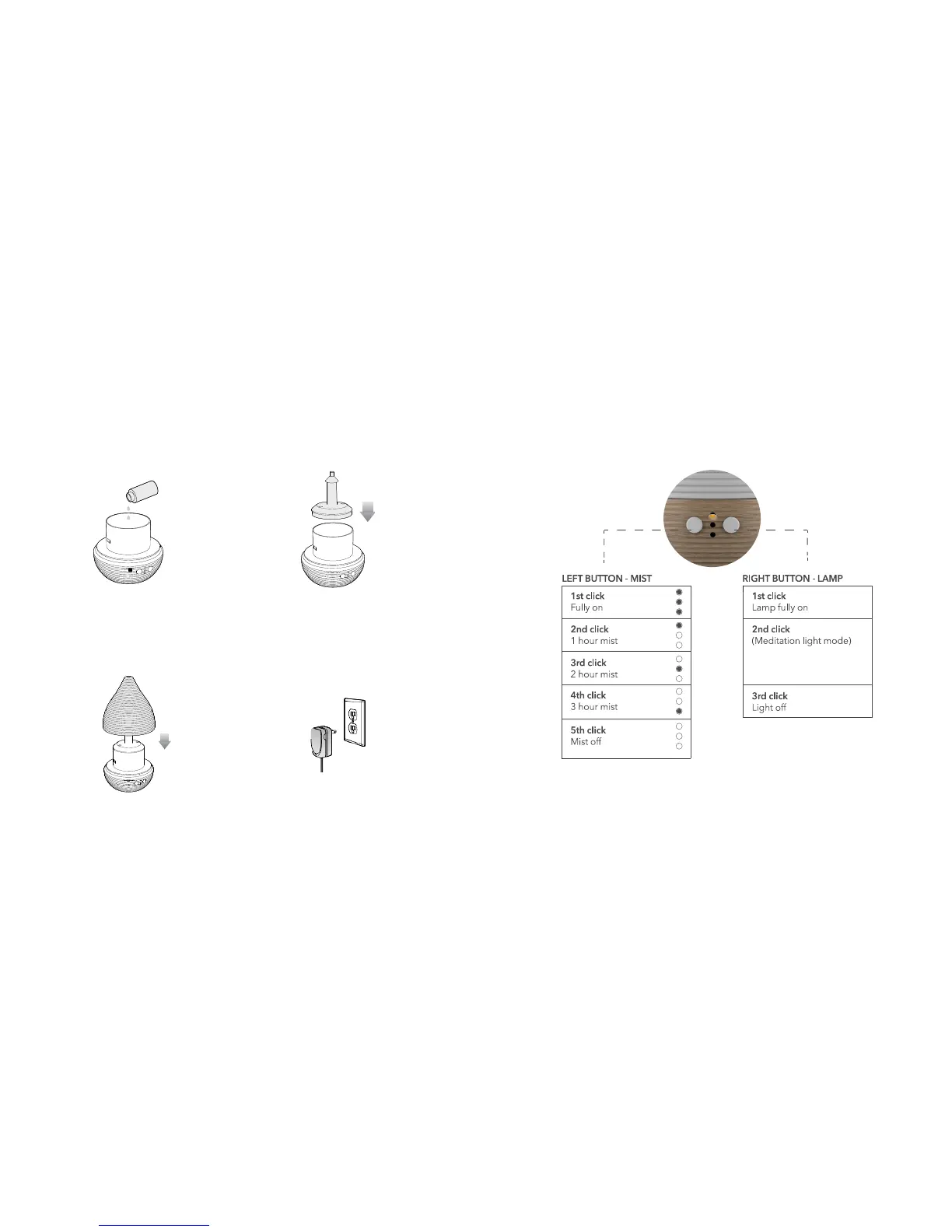
8. Press the Mist and Lamp buttons to set the mist and light options, as described
in the following illustration. The LED light indicates the mist setting.
4. Add 5 to 10 drops of essential oil
or pure essential oil blend.
5. Close the water tank cover.
7. Plug the Adapter connector into the
socket behind the diffuser, and plug
the adapter plug into a wall socket.
6. Replace the top cover.
Press the Mist button for 3 seconds to select the mist mode:
• 30 sec. ON / 30 sec. OFF — LED flashes once
• Always on — LED flashes twice
Brightness of light
gradually increases and
decreases continuously


 To Next Page