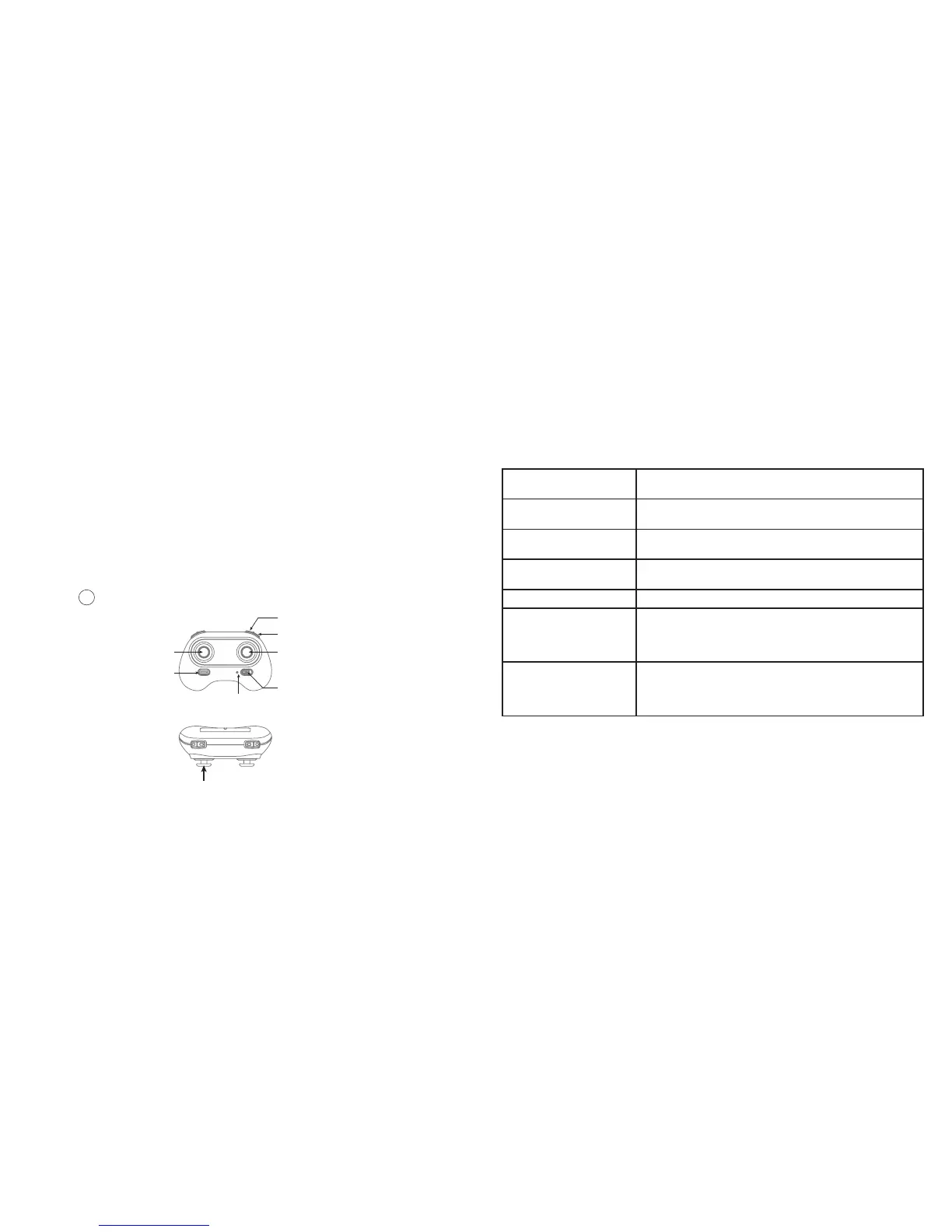
CONTROLLER
Trimmer mode button ( Press Down)
Left Stick
(Throttle / Rudder)
Right Stick
(Forward /
Backward / Left /
Right)
High / Medium /
Low Speed Mode
Take Off /
Landing /
Emergency Stop
Button
Power Switch
Power Indicator Light
Headless Mode
6
LI-PO BATTERY WARNING
This device contains a Lithium-Polymer battery. The battery must be recycled or disposed of
properly. Contact your local waste management office for information on battery recycling or
disposal.
Use only the supplied cable to recharge the battery. Improper charging may damage the
battery and the device.
Do not attempt to open the rechargeable battery or battery pack. There are no serviceable
parts inside.
Keep the battery out of reach of children. If swallowed, consult a physician immediately.
Do not dispose of battery in a fire as it may explode. The battery may also explode if
damaged.
BC
7
CONTROLLER BUTTON FUNCTIONS
Left Stick Move the stick forward/backward/left/right to fly the drone
up/down/turn left/turn right.
Right Stick Move the stick forward/backward/left/right to fly the drone
forward/backward/left/right.
Power Switch Slide to the ON position to turn on the controller. Slide to the
OFF position to turn off.
Headless Mode Button Press to enter headless mode. Press again to exit headless
mode.
Speed Button Press to switch to High/Medium/Low speed.
Take Off/Landing/
Emergency Stop Button
Press once and the drone will take off. Press again and the
drone will land. Press and hold the button for more than 1
second for an emergency landing. The drone propellers will
stop and it will land immediately.
Trimmer Button Press this button and move the right stick to the required
trimmer direction. The drone will adjust its direction
accordingly. Release the stick to end trimmer mode. Refer to
Page 12 for information on using the Trimmer function.


 To Next Page
 Loading...