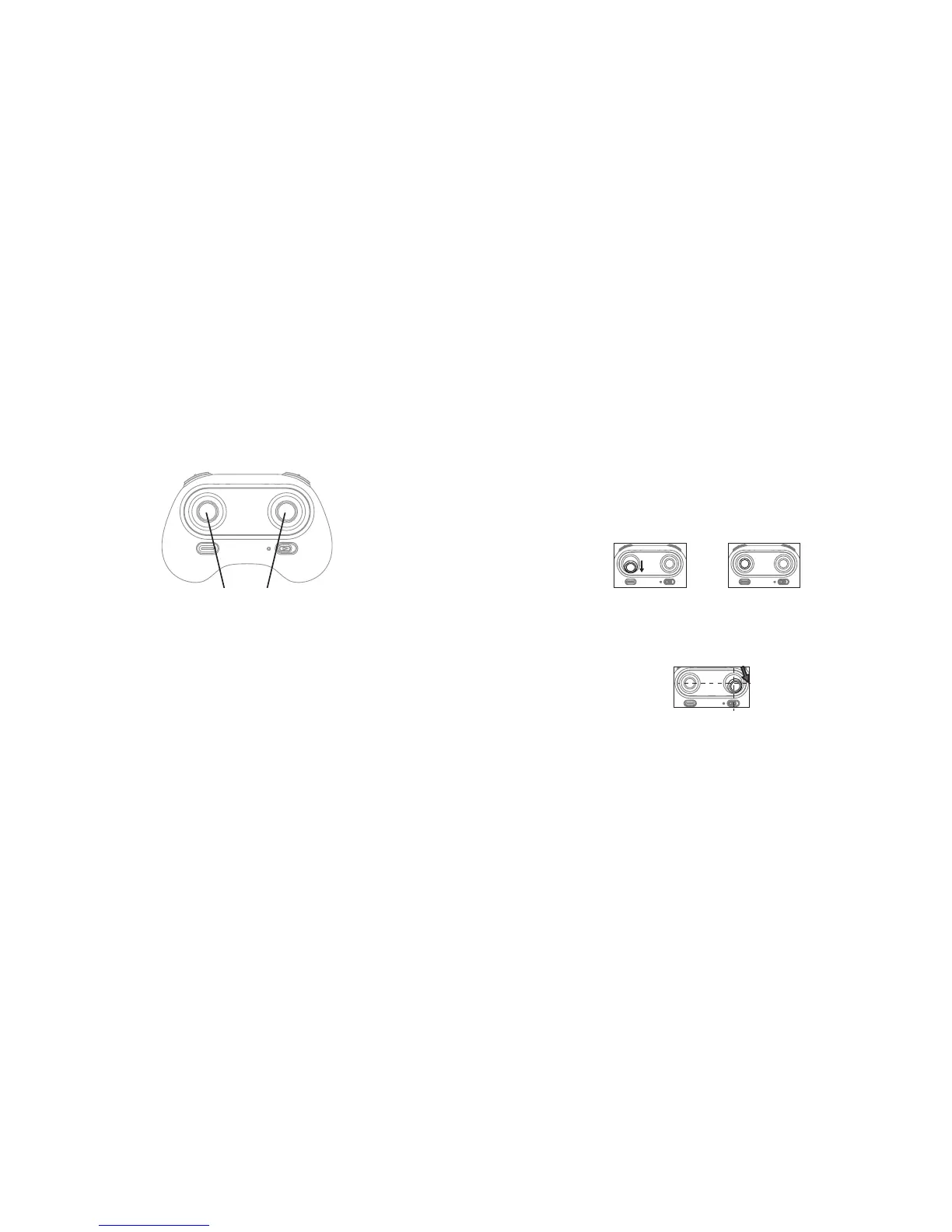
USING THE TRIMMER BUTTONS
When you take off, if the drone tilts you can use the trimmer buttons to correct the problem.
• If the drone tilts forward, press down the left stick in the center, and push the right stick
backward.
• If the drone tilts backward, press down the left stick in the center and push the right
stick forward.
• If the drone head rotates to the left, press down the left stick in the center and push the
left stick to the right.
• If the drone head rotates to the right, press down the left stick in the center and push
the left stick to the left.
• If the drone tilts to the left, press down the left stick in the center and push the right
stick to the right.
• If the drone tilts to the right, press down the left stick in the center and push the right
stick to the left.
Trimmers
12
RE-CALIBRATING THE DRONE
Crashing the drone may cause it to become imbalanced beyond the level that can be adjusted
by the trimmer button. If this occurs, you can re-calibrate the drone.
1. Power off the drone, then turn off the controller switch.
2. Turn on the controller switch, push the left stick all the way down to the lowest position
and then release. The left stick will return to the middle position.
3. Power on the drone and put it on a flat surface in a horizontal position. The drone body
lights change from flashing to solid.
4. Push the right stick as shown below, and then release. (Do not move the left stick before
successful calibration.) The drone body lights flash, indicating that the drone is calibrating.
After successful calibration, the drone body lights will be solid.
Note: After a hard crash, the gyroscope in the drone may be impacted, causing the drone to
be difficult to control. If this occurs, power off the drone and power on again to calibrate.


 To Next Page
 Loading...