1. Pair Smart Plug with Brookstone Smart App
and name it with an easily recognizable
name.
2. Download the Google Home App and
register and log in with your Google
Account info.
How to control the Smart Plug with Google Assistant
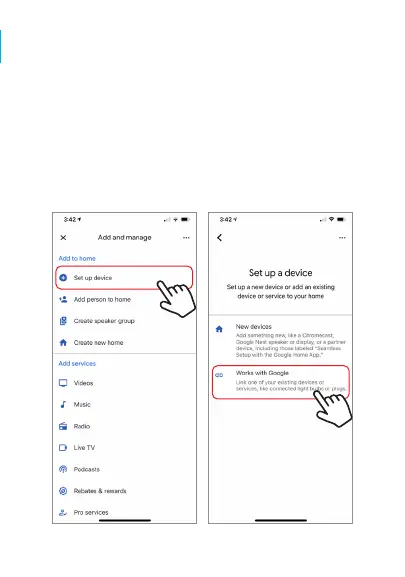
Step B. On the next page press “Set up device”, and then on
the page after that select “Works with Google”.


 To Next Page