650580_INS_CLEAR Earbuds for iPhone
Size:5”Wx4.75”H_Output:100%_Prints:1/1,Blk
UsInG YoUR eaRbUds
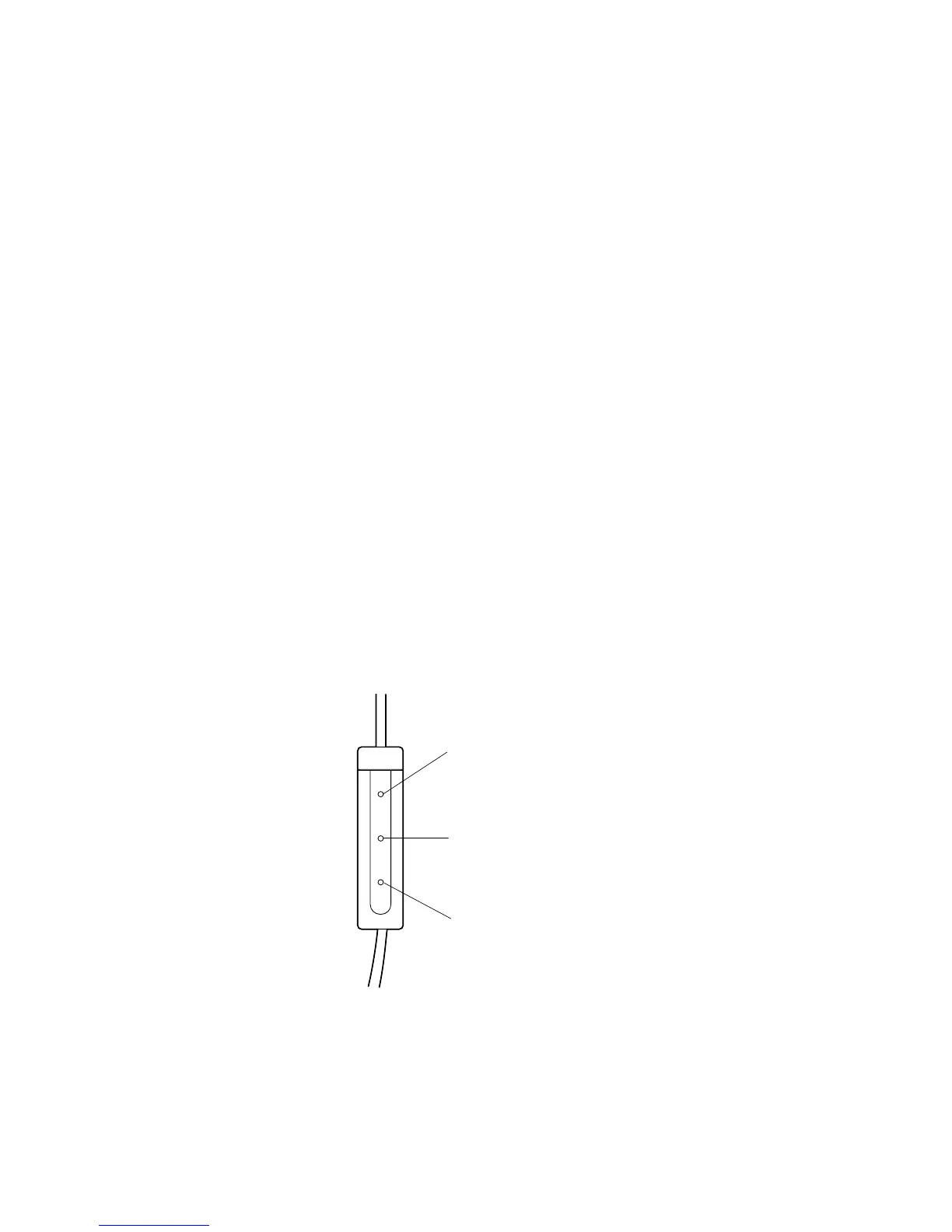
1. Connect the Earbuds to your iPod or iPhone.
2. Click the Center button once to listen to music.
Note: When your phone is ringing, click the Center button
once to pick up the call. Click once to disconnect the call.
3. Click the Volume Up button to increase the volume.
4. Click the Volume Down button to decrease the volume.
5. Click the Center button once to pause the music.
6. Double click the Center button to go to the next track.
7. Triple click the Center button to go to the previous track.
8. Double click and hold the Center button to fast-forward within a track.
9. Triple click and hold the Center button to rewind within a track.
Volume Up button
Center button
Volume Down button
4












 To Next Page