EasyManua.ls Logo

Brookstone my life - User Manual

Brookstone my life
27 pages
Print Icon
To Next Page IconTo Next Page
Loading...
my life
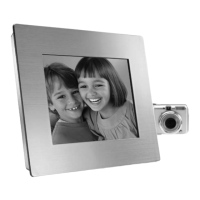
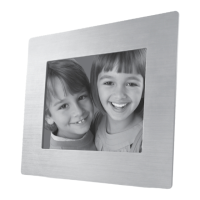
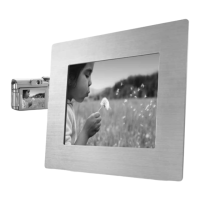
8" digital picture show

Other manuals for Brookstone my life

Question and Answer IconNeed help?

Do you have a question about the Brookstone my life and is the answer not in the manual?

Summary

CAUTION

Electric Shock Risk

Do not remove cover or back. No user-serviceable parts inside.

Fire;Electric Shock Risk

Do not expose this unit to water or moisture.

IMPORTANT SAFETY INSTRUCTIONS

DANGER

Instructions to reduce risk of electric shock, burns, fire or injury.

WARNING

LOCATION OF CONTROLS

FRAME OPERATION

VIEWING PHOTOS FROM A MEMORY CARD OR FLASH DRIVE

DOWNLOADING PHOTOS FROM A MEMORY CARD OR FLASH DRIVE

DOWNLOADING PHOTOS FROM A COMPUTER

VIEWING PHOTOS ON THE UNIT

USING SLIDE SHOW MODE

TROUBLESHOOTING GUIDE

ONE (1) YEAR LIMITED WARRANTY

Summary

CAUTION

Electric Shock Risk

Do not remove cover or back. No user-serviceable parts inside.

Fire;Electric Shock Risk

Do not expose this unit to water or moisture.

IMPORTANT SAFETY INSTRUCTIONS

DANGER

Instructions to reduce risk of electric shock, burns, fire or injury.

WARNING

LOCATION OF CONTROLS

FRAME OPERATION

VIEWING PHOTOS FROM A MEMORY CARD OR FLASH DRIVE

DOWNLOADING PHOTOS FROM A MEMORY CARD OR FLASH DRIVE

DOWNLOADING PHOTOS FROM A COMPUTER

VIEWING PHOTOS ON THE UNIT

USING SLIDE SHOW MODE

TROUBLESHOOTING GUIDE

ONE (1) YEAR LIMITED WARRANTY

Brookstone my life Specifications

General IconGeneral
Aspect Ratio16:9
Power SourceAC adapter
Screen Size7 inches
Resolution480 x 234
Memory Card SupportSD, MMC, MS
FeaturesCalendar, Clock
Display Size7 in
Supported Media FormatsJPEG

Related product manuals