
 Need help?
Do you have a question about the Brookstone Slimline Music System and is the answer not in the manual?
Explains the meaning of electrical shock and important information symbols.
Comprehensive list of 12 instructions for safe operation and installation.
Warning regarding the safe use of carts with the apparatus to prevent tip-over.
Cautions regarding liquid exposure, heat, and sound pressure levels.
Instructions for safe battery disposal, handling, and usage.
Details the equipment's compliance with FCC rules and potential interference.
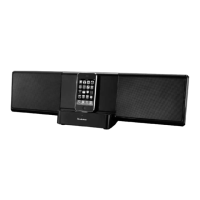
Identifies front speaker, iPod backrest, control panel, and indicators.
Identifies wall mounts, rear speakers, reset button, and input jacks.
Details power, volume, EQ, and connect buttons on the control panel.
Identifies AUX 2, Component Video, and Composite Video output jacks.
Identifies signal strength, menu, navigation, and playback buttons on the remote.
Instructions for inserting batteries into the remote control.
Steps to connect the power adapter to the unit and outlet.
Guide to connecting an iPod/iPhone to the system's dock connector.
Details different "connected to" screen messages for various iPod/iPhone models.
Note on potential interference affecting remote response and manual sync.
Step-by-step guide to power the speaker on and off using the unit or remote.
Instructions on how to wake the remote control from sleep mode.
Guide to playing music from a docked iPod/iPhone.
How to control playback and access the "Now Playing" track.
How to set repeat and shuffle options for songs and albums.
How to browse and access all songs on your iPod/iPhone.
How to change the volume using the unit or remote control.
How to adjust the Equalizer (EQ) settings for different audio profiles.
How to change the brightness of the speaker's light bars.
How to set a sleep timer for automatic shutdown.
Steps to manually synchronize the remote control with the speaker.
How to connect and play audio from an external source via AUX 1.
How to connect and play audio from an external source via AUX 2.
How to play iPod/iPhone movies on TV using component cables.
Specific steps for playing iPod/iPhone movies on TV via component.
How to play iPod/iPhone movies on TV using composite cables.
Specific steps for playing iPod/iPhone movies on TV via composite.
Steps for playing iPhone 3GS component videos on TV.
Steps for playing iPhone 3GS composite videos on TV.
Technical details for speaker output, drivers, and frequency response.
Technical details for the remote control's LCD and signal.
Lists compatible iPod and iPhone generations and models.
Solutions for no sound, no power, faint sound, and distortion.
Solutions for unresponsive remote and failed sync errors.
Solutions for accessory warnings and missing "Accessory Connected" screen.
Solutions for movies not displaying on TV or incorrect video settings.
Details the warranty period, coverage, and options for defects.
Instructions on how to contact Brookstone for service.
Outlines the limitations and exclusions of the warranty coverage.
 General
| Brand | Brookstone |
|---|---|
| Model | Slimline Music System |
| Category | Micro Music System |
| Disc Capacity | 1 |
| Tuner Bands | AM/FM |
| Power Source | AC Power |
| Radio | Yes |
| CD Player | Yes |
| Playable File Types | MP3 |
| Audio Input | 3.5mm auxiliary input |

 To Next Page