• In Tuner mode (AM/FM) pressing the and buttons moves
the tuner display down or up to lower- or higher-numbered
frequencies.
• In CD mode pressing the and buttons allow you to skip
to lower and higher numbered tracks, or to search forward or back
within a track to locate a specific musical passage.
All of the functions of the and buttons will be fully
explained in the appropriate sections of this manual.
Setting The Time, The First Time
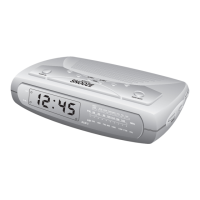
IMPORTANT: The first time you connect your new SmartSet® CD
Alarm Clock Radio to the AC outlet the internal computer will
automatically set the time correctly for the Eastern Time Zone, which
is the initial default setting. The display will scan for a few seconds
and then show the correct Day and Time in the Eastern Zone. If you
live in the Eastern Time Zone, there’s nothing else to do. Your clock is
set correctly and running.
If you do not live in the Eastern Time Zone, you must change the
default zone display to your own zone.You only do this one time and
the SmartSet® will remember the new default zone setting and will
always return to that setting after a power interruption.
There are 7 time zones programmed into your SmartSet® CD Alarm
Clock Radio as follows:
ZONE 1—Atlantic Time
20
467522_INS_SmartSet CD Alarm 3/22/07 9:25 AM Page 21



 To Next Page