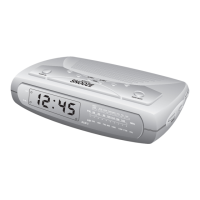
If you notice that the time on your SmartSet® CD Alarm Clock Radio
is completely incorrect, and the day indicator is also wrong, press the
MONTH/DATE button to see the date. If the date display is incorrect,
you probably experienced a total memory loss. To reset the clock after
a total memory loss, proceed as follows:
1. Follow the instructions on pages 48-51 and install a new CR2430
lithium battery in the battery compartment.
2. Connect the radio to your AC outlet and let the clock set itself.
3. Depress the MONTH/DATE and TIME buttons together. The display
will change from ‘time’ to ‘year.’
4. While holding the MONTH/DATE and TIME buttons, press the
button to set the display to the correct year if necessary, then
release the buttons.
5. Depress the MONTH/DATE button. The display will change from
‘time’ to ‘month/date’ (mm/dd).
6. While holding the MONTH/DATE button, press the button to
set the display to the correct month and date. The Day indicator
will change automatically as you adjust the month/date settings.
When the correct month and date appear on the display, release
the buttons.
7. Depress the TIME button and the button to set the display
to the correct time. Be sure to confirm that you have set the time
correctly to ‘AM’ or ‘PM’ by observing the AM indicator.
52
467522_INS_SmartSet CD Alarm 3/22/07 9:25 AM Page 53



 To Next Page