14
3.1) Operating keys
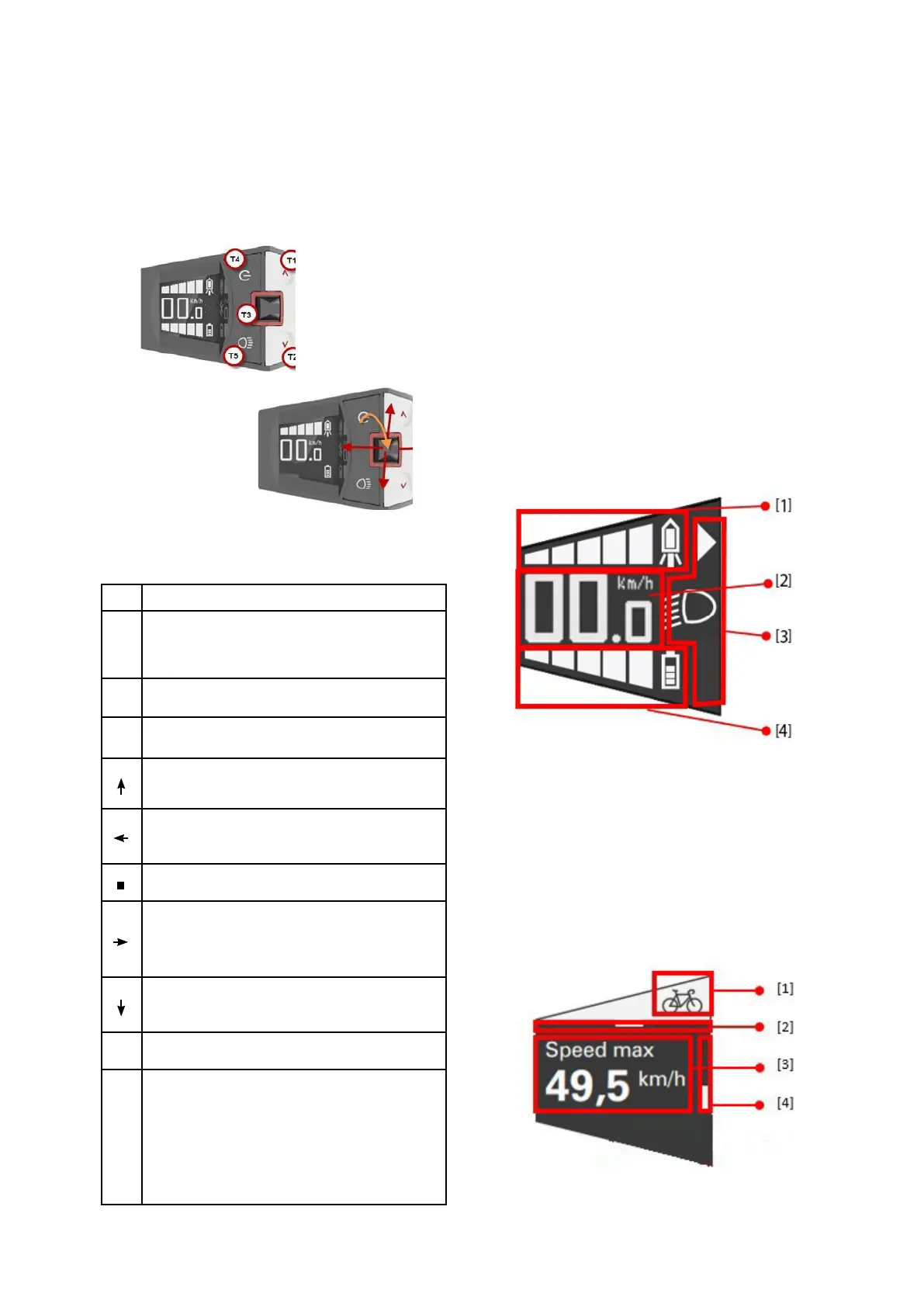
The keys on the Comfort control unit are used to
control the functions of the pedelec system.
Abb. 2 Keys and joystick of the Comfort control
unit
3.2) Displays of the Comfort control unit
The displays of the Comfort control unit offer dif-
ferent information on different pages. The joy-stick
moves sideways to switch between the pages.
Some of the pages offer additional pages that are
controlled by vertical movements of the joystick.
The main page provides the following information:
1. Indication of the current support.
2. Speed
3. Status display for
triangle symbol: Sliding aid active.
Lighting: Symbols show the status.
4. Battery charge status.
The other pages are designed according to the
following pattern:
1. Symbol for the page.
2. Horizontal navigation position.
3. Page content.
4. Vertical navigation position: Refers to further
pages and shows the current position.
Key Function
T1
Increase support level
Hold > 3s: Switch on walk assist until key is no
longer held.
T2 Reduce support level
T3 Joystick:
One page up. Switch to editing mode.
One entry higher in editing mode.
Move to the next page to the left.
In editing mode, exit the mode and confirm the value.
In edit mode, edit the highlighted value.
Switch to the next page to the right.
In editing mode, exit the mode and confirm the
value.
Move one page down. Switch to editing mode.
One entry higher in editing mode.
T4 Switch the Comfort control unit on and off.
T5
Short press: Switch on the light.
Long press: Switch off the light.
In automatic mode: The light is switched on or off
depending on the ambient light. The light can always
be switched on or off manually using this switch.


 To Next Page
 Loading...