15
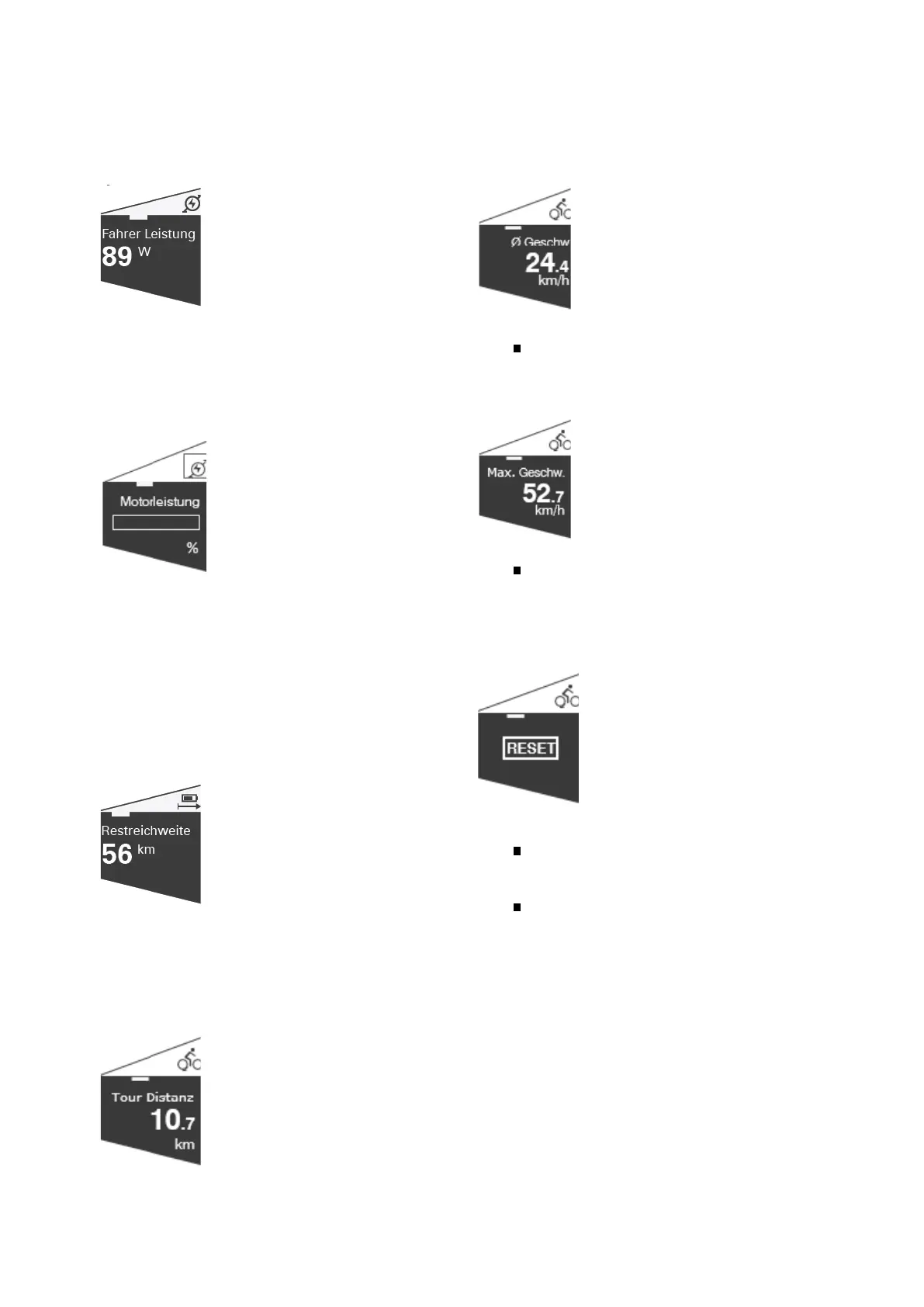
Driver Performance
Fig. 3 Comfort Page Driver performance
Shows the current power output by the user to
drive the pedelec in watts. This value is transmitted
by the motor to the control unit.
Automatic light (setting menu)
Fig. 4 Comfort Page Automatic light
Activate the automatic mode for the headlight here.
The light is then switched on or off depend-ing on
the ambient brightness. If the automatic mode is
switched on, the headlight symbol is displayed
with an „A“ on the main page. The light can be
switched on or off at any time using the T5 key.
Remaining range
Fig. 5 Comfort Page Remaining range
Shows the remaining range of the pedelc with as-
sistance.
Tour Distance
Fig. 6 Comfort Page Tour Distance
Displays the distance travelled since the value was
last reset.
This page contains additional pages.
Tour Distance / Average Speed
Fig. 7 Comfort Page Tour average speed
Medium speed.
Displays the average speed of the current route.
Tour Distance / Maximum speed
Fig. 8 Comfort Page Tour-Max. Speed
Maximum speed.
Displays the highest speed of the current route.
Tour Distance / Reset
Fig. 9 Comfort Page Tour-Reset
Reset - Move the joystick (T3) down to
activate the RESET function (change the
color of the menu item from black to white).
By briefly pressing the joystick, the tour va
lues are reset to „0“.
The values for the distance, average speed
and maximum speed of the current tour
are deleted and set to „0“.


 To Next Page
 Loading...