BrosTrend™ www.trendtechcn.com
14 / 22
Network Utility”:
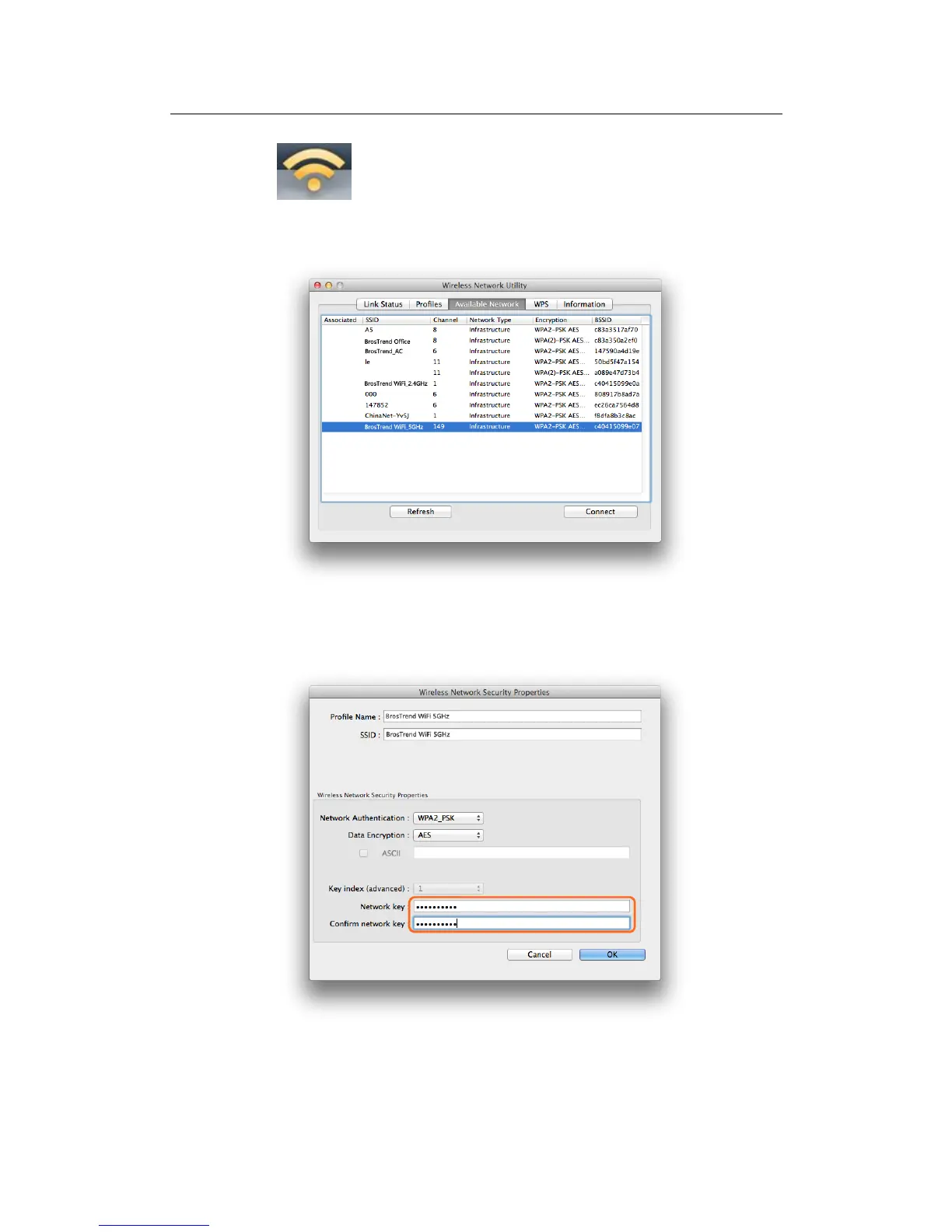
3.2.2 In the interface below, please click “Available Network”, find your Wi-Fi
network, and then double click to select it:
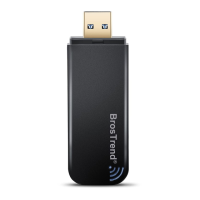
3.2.3 And then please input your Wi-Fi Network Key in the screen below, please
make sure that you input the same Wi-Fi Network key twice, and then click
the “OK” button.
3.2.4 After you input the correct WiFi Network Key, your MAC will be connected
to your Wi-Fi network successfully and you can see the below interface:


 To Next Page