BrosTrend™ www.trendtechcn.com
15 / 22
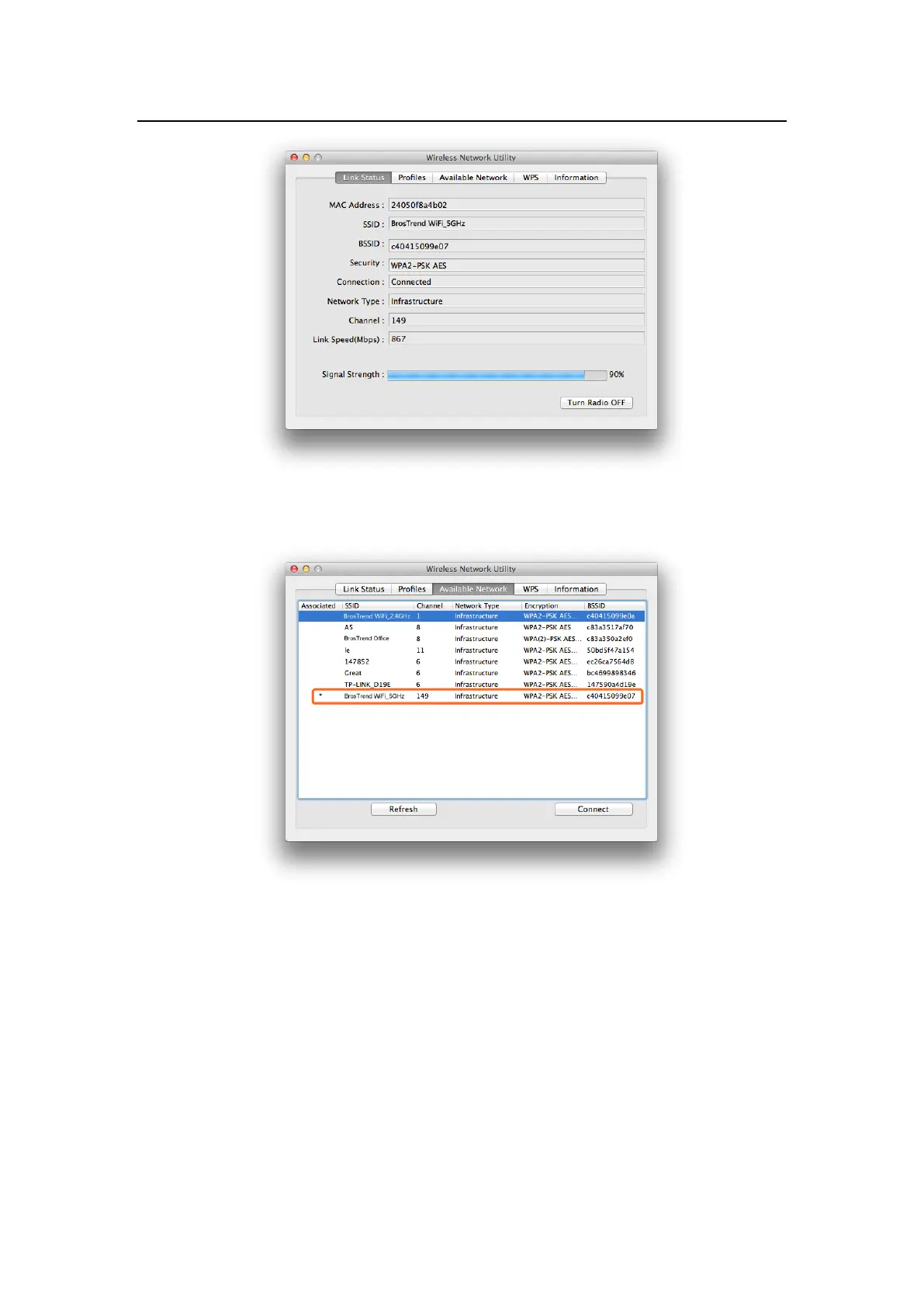
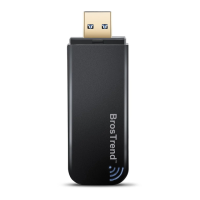
3.2.5 Also, in the “Available Network” in the screen below, you can see that the
Wi-Fi network with “*” is the one that you are currently connected to:
3.2.6 Manage My WiFi Network Profiles: For all the Wi-Fi networks which you
connected to successfully, their network information including the Wi-Fi
network names and Wi-Fi keys are stored in the utility automatically, you
can shift between them by double clicking their name in the list below, you
do not need to input Wi-Fi key again when you reconnect to them. Actually,
this utility will enable your MAC to connect to one of them automatically for
WiFi Internet connection every time when you start using your MAC again.


 To Next Page