78
UTILITY STITCHES ———————————————————————————————————————————————————————————————————————————————————————————————————
■ Adding new characters after sewing
After sewing a combination of characters, you
can add characters to the combination using the
following method.
Memo
● When you have finished sewing, the pattern
No. of the first character in the current
combination is shown on the LCD.
a
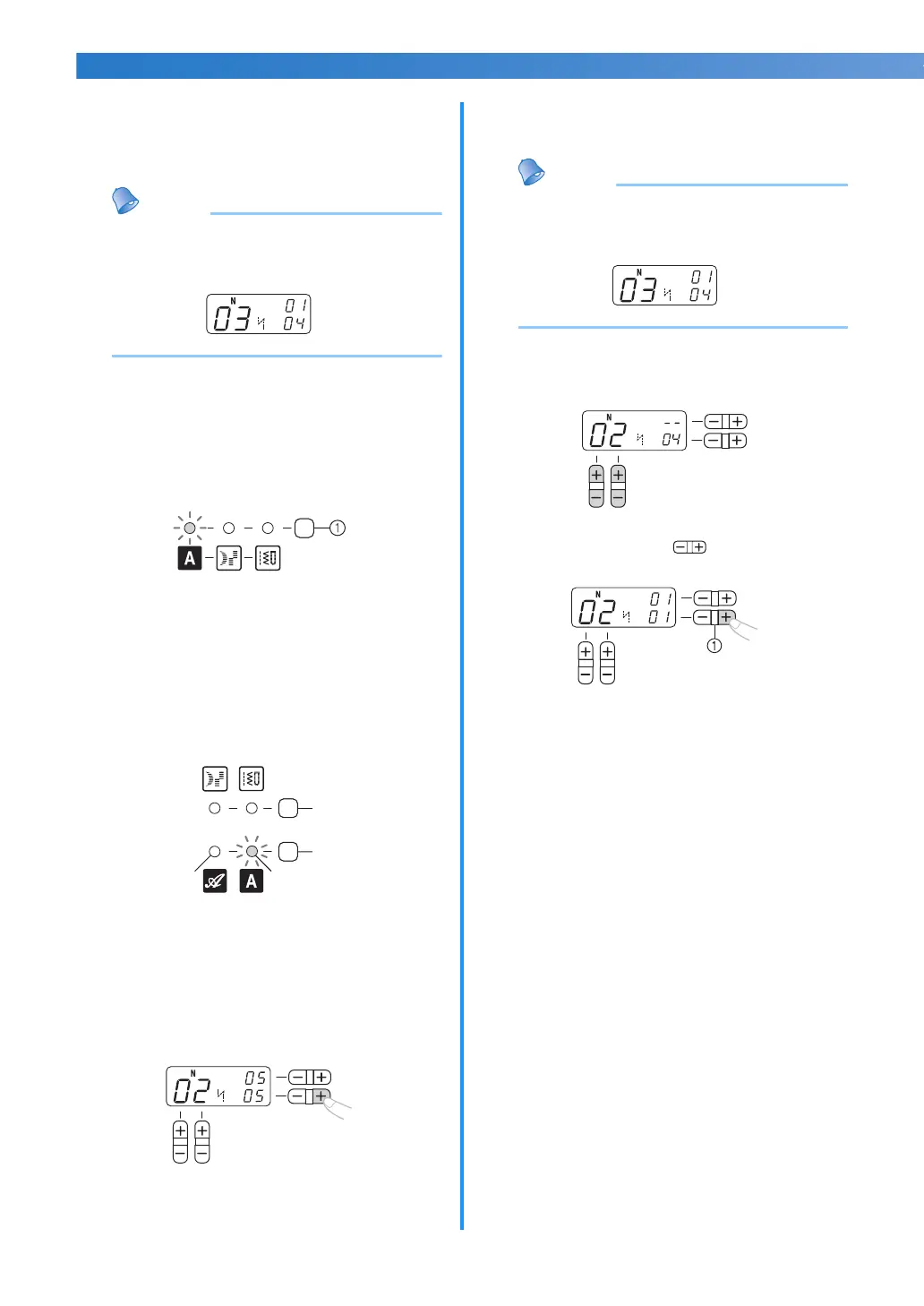
<For models equipped with 1 font type of
character stitches>
Press the stitch category selection key to
select the character stitch again. (Do not skip
this step.)
a Stitch category selection key
<For models equipped with 2 font types of
character stitches>
Press the utility stitch key first (Do not skip
this step.) and then, press the character stitch
key once or more until the desired font type of
character stitch indicator is lit.
a Utility stitch key
b Character stitch key
c Character stitch indicator (Gothic font)
d Character stitch indicator (Script font)
b
Add new characters by following the
procedure described in “Combining
characters” (page 77).
X New characters are added next to the
last character of the combination.
■ Making a new combination of characters after
sewing
Memo
● When you have finished sewing, the pattern
No. of the first character in the current
combination is shown on the LCD.
a
Select the first character of the new
combination.
b
Press the “+” side of (stitch width
adjustment key).
a Stitch width adjustment key
X The old combination of characters is
cleared from memory, and the pattern
No. shown in the LCD is entered as the
first character of a new combination.
c
Add characters by following the procedure
described in “Combining characters”
(page 77).
b
a
cd



 To Next Page