UTILITY STITCHES
51
3
4
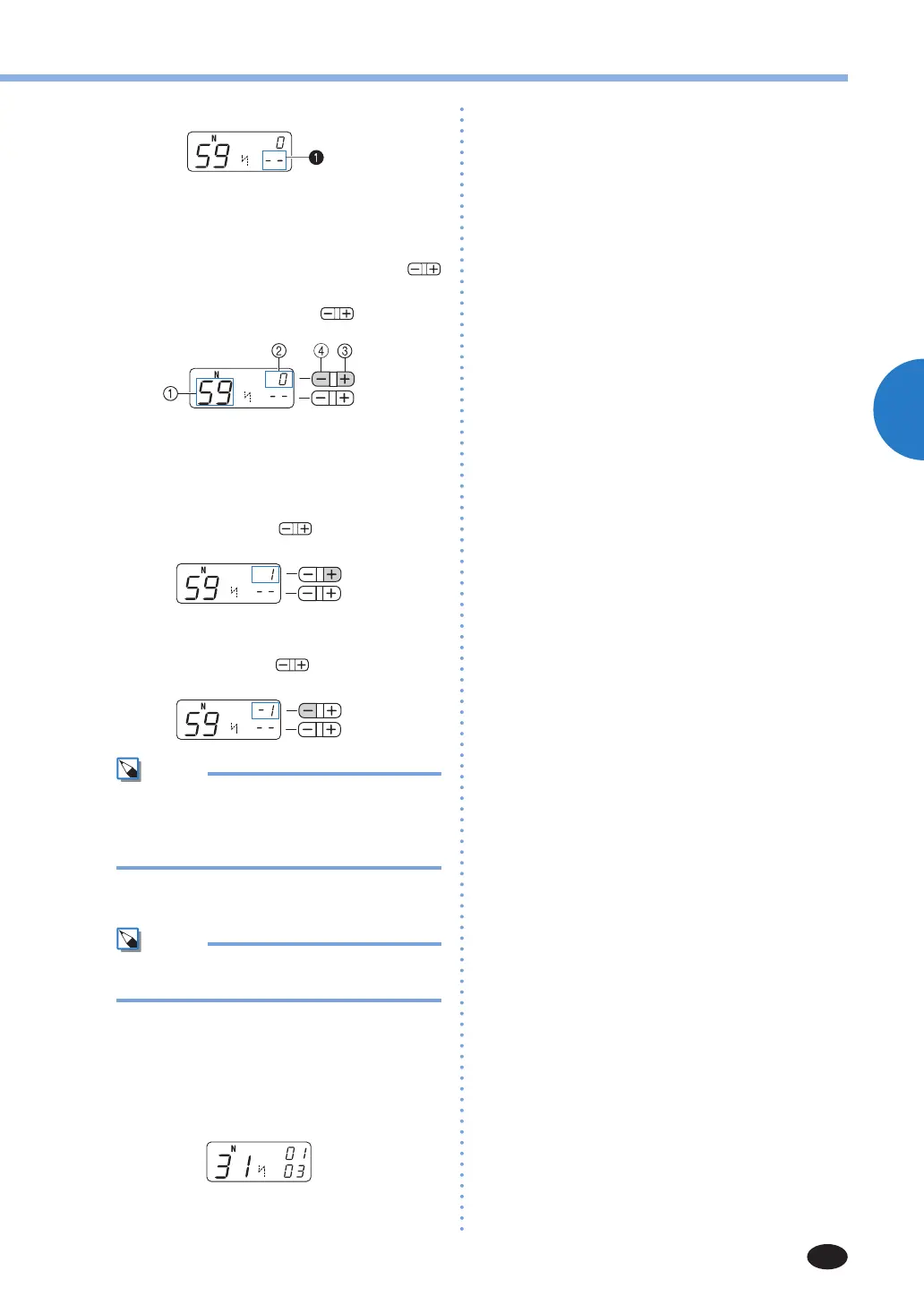
Select No. 59 (for making adjustments).
X
TheLCDgoesintothestitchadjustment
mode. The total number of combined
characters
1
changes to “--“.
5
Adjust the character stitches by pressing
(stitch length adjustment key).
Each press of “+” or “-” side of (stitchlength
adjustmentkey)widensornarrowsthestitches.
1
No. for making adjustments
2
The stitch adjustment level
3
Widensthestitches
4
Narrows the stitches
Ifthepatternisbunched(B)
Pressthe“+”sideof
(stitchlength
adjustmentkey)towidenthestitch.
If the pattern is overstretched
(Thestitch“0”hasagap.)(C)
Pressthe“-”sideof
(stitchlength
adjustmentkey)tonarrowthestitch.
Mem
•The stitch adjustment level can be set
between -9 and 9.
•The setting is saved in memory even if you
turn off the machine.
6
Sew the characters “034” again.
Mem
•Youcansewwhenyouareinthestitch
adjustment mode.
If the stitch pattern still comes out poorly,
adjust the stitch again. Adjust the stitch until
the stitch pattern comes out correctly.
7
After you have finished adjusting the pattern,
press the stitch category selection key three
times.
X
The display returns to the normal character
stitching mode.



 To Next Page