39
2
——————————————————————————————————————————————————————————————————————————————————————————————————————————————————————
Selecting a stitch
Using the stitch selection keys, select the desired
stitch.
When the sewing machine is turned on, the straight
stitch ( left needle position) is selected.
a
Turn on the sewing machine.
b
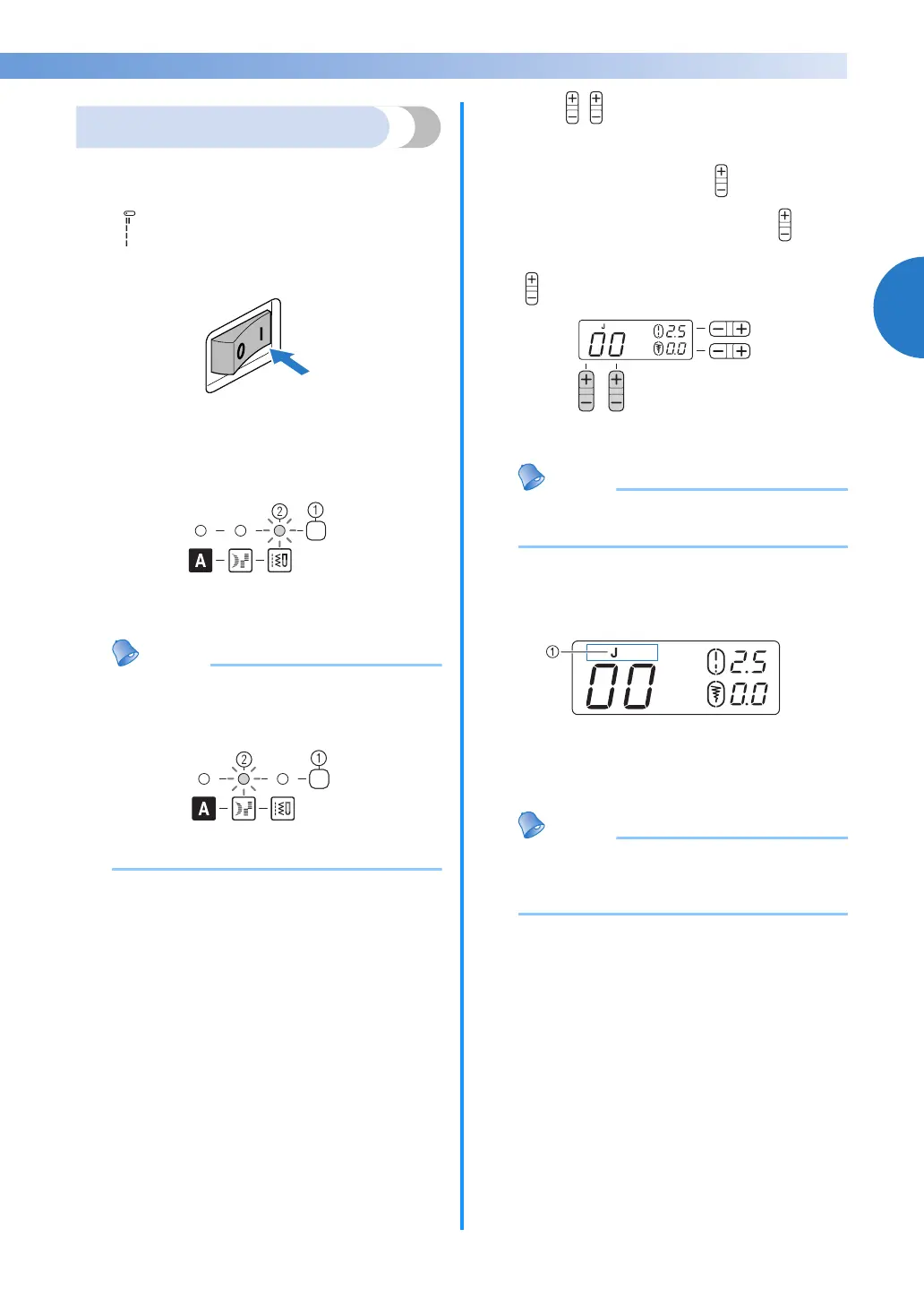
Confirm that the utility stitch indicator is lit. If
it is not lit, press the stitch category selection
key once or more until the utility stitch
indicator is lit.
a Stitch category selection key
b Utility stitch indicator
Memo
● When you want to select the satin stitch,
press the stitch category selection key once
or more until the satin stitch indicator is lit.
a Stitch category selection key
b Satin stitch indicator
c
Press (stitch selection keys). The
number of the selected stitch is displayed.
Press the “+” or “–” side of to increase or
reduce the number by one. Pressing on the
right changes the digit on the right and pressing
on the left changes the digit on the left.
X The stitch is selected.
Memo
● The pattern numbers of the stitches are
displayed on the machine.
d
Attach the presser foot indicated in the LCD.
a Presser foot type
• For details, refer to
“Replacing the presser
foot” (page 36)
.
Memo
● The presser foot to be used is indicated by
the letter (J, A, etc.) that appears above or
beside the stitch number.
e
If necessary, adjust the stitch length and
width.
• For details on sewing with each of the stitches,
refer to the following example.



 To Next Page