EasyManua.ls Logo

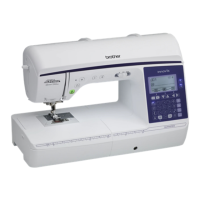
Brother 888-V13 - User Manual

Brother 888-V13
116 pages
Print Icon
To Next Page IconTo Next Page
Loading...
Operation Manual
Computerized Sewing Machine
GETTING READY
SEWING BASICS
UTILITY STITCHES
APPENDIX
Product Code: 888-V12/V13/V15
Be sure to read this document before using the machine.
We recommend that you keep this document nearby for future reference.

Table of Contents

Questions and Answers

  • D
    David MillerAug 16, 2025
    Why my Brother 888-V13 does not operate?
    • K
      Kristi FuentesAug 16, 2025
      Here are a few things to check if your Brother Sewing Machine isn't turning on: * Make sure the power cord is plugged into a working electrical outlet. * Ensure the machine is turned on. * Verify the bobbin winder shaft is slid to the left, not the right. * Lower the presser foot lever. * Raise or pull down the buttonhole lever, depending on the selected stitch. * If the foot controller is connected, do not use the start/stop button; disconnect the foot controller to use the start/stop button.
  • K
    Kimberly MejiaAug 19, 2025
    How to adjust the thread tension on a Brother 888-V13 Sewing Machine?
    • J
      julierushAug 19, 2025
      If you're experiencing incorrect thread tension with your Brother Sewing Machine, try these solutions: * Ensure the upper thread is correctly installed. * Verify the bobbin thread is correctly installed and wound. * Use a thread and needle appropriate for the fabric you're sewing. * Make sure the presser foot holder is correctly installed. * Adjust the thread tension. * Use a bobbin designed specifically for your machine.
  • J
    Joseph JohnsonAug 21, 2025
    Why is my Brother Sewing Machine skipping stitches?
    • M
      Mary ClaytonAug 22, 2025
      If your Brother Sewing Machine is skipping stitches, consider the following: * Make sure the upper thread is correctly installed. * Ensure you're using the right combination of fabric, thread, and needle. * Replace the needle if it's bent or blunt. * Verify the needle is correctly installed. * Clean any accumulated dust from under the needle plate or in the bobbin case.
  • R
    Robert FieldsAug 25, 2025
    Why is the fabric not feeding through my Brother 888-V13 Sewing Machine?
    • J
      Julia LoveAug 25, 2025
      If your Brother Sewing Machine isn't feeding fabric, here's what to check: * Ensure the feed dogs are raised. * Lengthen the stitch length if it's too short. * Use the correct combination of fabric, thread, and needle. * Remove any tangled thread from the bobbin case and clean the race.
  • S
    Sarah GomezAug 27, 2025
    What to do if the thread does not pass through the eye of the needle of my Brother 888-V13 Sewing Machine?
    • M
      Marvin PetersAug 27, 2025
      If the thread isn't passing through the eye of the needle on your Brother Sewing Machine: * Raise the needle by pressing the needle position button once or twice. * Make sure the needle is correctly installed.
  • J
    Jeanne BrownAug 30, 2025
    Why does the needle keep breaking on my Brother Sewing Machine?
    • S
      Stephanie OwensAug 30, 2025
      If the needle on your Brother Sewing Machine is breaking, consider these potential causes: * The needle might be incorrectly installed; make sure it's properly installed. * A loose needle clamp screw can cause breakage; tighten it firmly with a screwdriver. * A bent or blunt needle should be replaced with a new one. * Ensure you're using the correct combination of fabric, thread, and needle. * Use the appropriate presser foot for the stitch you're using. * If the upper thread tension is too tight, loosen it. * Avoid pulling the fabric too much; guide it lightly. * Using a bobbin not specifically designed for your machine can cause issues; use only the correct bobbin.
  • M
    Mr. Alex DavidsonSep 2, 2025
    Why is the upper thread breaking on my Brother Sewing Machine?
    • J
      Jose HallSep 2, 2025
      If the upper thread keeps breaking on your Brother Sewing Machine, check the following: * Ensure the upper thread is correctly threaded, with the spool properly installed and the thread correctly placed in the needle bar thread guide. * Remove any knots or tangles in the thread. * Use a needle appropriate for the thread you're using. * Loosen the upper thread tension if it's too tight. * Remove any thread tangled in the bobbin case and clean the race. * Replace a bent or blunt needle with a new one. * Make sure the needle is correctly installed. * Use only a bobbin designed specifically for your machine.
  • A
    Amber AverySep 4, 2025
    Why is my Brother 888-V13 making a rattling noise?
    • C
      Corey HahnSep 4, 2025
      If your Brother Sewing Machine is making a high-pitched or rattling noise, try the following: * Clean the bobbin case. * Ensure the upper thread is correctly installed. * Use a bobbin designed specifically for this machine.
  • M
    matthewboydSep 7, 2025
    What to do if the lower thread is tangled in my Brother 888-V13 Sewing Machine?
    • D
      Derrick RichardsonSep 7, 2025
      If the lower thread on your Brother Sewing Machine is tangling or breaking, check these potential causes: * Ensure the bobbin thread is correctly installed and wound. * Replace the bobbin if it's scratched or doesn't rotate properly. * Remove any tangled thread and clean the race. * Make sure you are using a bobbin specifically designed for your machine.
  • J
    James CarterSep 10, 2025
    Why is the fabric puckered when I sew with my Brother Sewing Machine?
    • M
      Michelle YuSep 10, 2025
      If the fabric is puckering while using your Brother Sewing Machine, consider the following: * Ensure both the upper and bobbin threads are correctly installed. * Make sure the spool is correctly installed. * Use the appropriate combination of fabric, thread, and needle. * Replace the needle if it's bent or blunt. * If sewing thin fabrics, use stabilizer material under the fabric. * Adjust the thread tension.

Brother 888-V13 Specifications

General IconGeneral
BrandBrother
Model888-V13
CategorySewing Machine
LanguageEnglish

Related product manuals