EasyManua.ls Logo

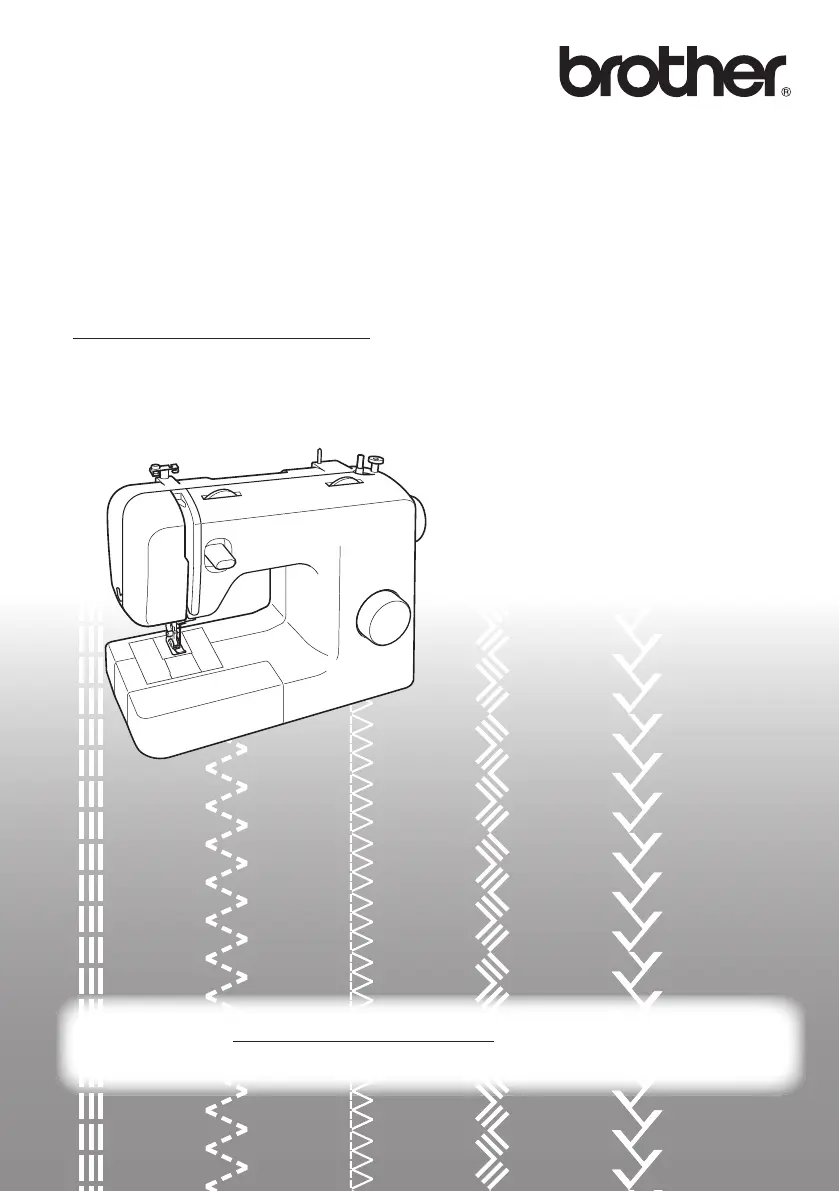
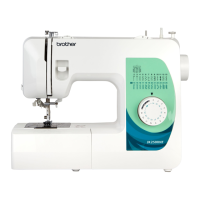
Brother JK2500NT - User Manual

Brother JK2500NT
48 pages
Print Icon
To Next Page IconTo Next Page
Loading...
Please visit us at http://solutions.brother.com where you can get product
support and answers to frequently asked questions (FAQs).
Operation Manual
Product Code: 885-X03/X13/X23
888-X03/X13/X23
Sewing Machine
www.SewingSupplyWarehouse.com

Table of Contents

Questions and Answers

  • N
    Natalie HoffmanAug 15, 2025
    Why is my Brother Sewing Machine not working?
    • A
      anne54Aug 15, 2025
      The Brother Sewing Machine might not be working because the main power switch is off. Turn it on. Another reason could be that the bobbin-winder shaft is pushed to the right; if so, move it to the left. Also, ensure you are using the foot controller properly.
  • S
    Sandra LopezAug 19, 2025
    Why is my Brother Sewing Machine skipping stitches?
    • J
      Julia EstesAug 19, 2025
      If your Brother Sewing Machine is skipping stitches, make sure the upper thread is correctly threaded and that you're using the right combination of fabric, thread, and needle. Replace the needle if it's bent or blunt, and ensure it's correctly installed. Also, remove the needle plate and clean the plate and the bobbin case if dust has accumulated.
  • A
    Andrea RamirezAug 21, 2025
    Why does the fabric not feed through my Brother JK2500NT?
    • S
      Sophia CarterAug 21, 2025
      If the fabric does not feed through your Brother Sewing Machine, try lengthening the stitch length. Remove the darning plate if it's fitted on the needle plate. Use the right combination of fabric, thread, and needle. Remove any tangled thread, cleaning the race if necessary. Attach the correct presser foot for the stitch you want to sew.
  • D
    Denise GreenAug 25, 2025
    Why does the upper thread keep breaking on my Brother JK2500NT?
    • J
      John DavisAug 26, 2025
      If the upper thread keeps breaking on your Brother Sewing Machine, it might be due to incorrect threading. Make sure you've threaded the upper thread properly. Also, check for knots or tangles in the thread and remove them. The needle might not be right for the thread, so choose an appropriate needle. Lastly, the upper thread tension could be too tight, so try loosening it.
  • M
    Mr. Bruce Perry Jr.Aug 27, 2025
    Why does the needle break on my Brother JK2500NT Sewing Machine?
    • J
      Jennifer RamosAug 28, 2025
      If the needle on your Brother Sewing Machine breaks, ensure it's correctly installed and the needle clamp screw is tight using the oval screwdriver. Replace the needle if it's bent or blunt. Also, check that the upper thread is threaded correctly and that you're using the right combination of fabric, thread, and needle. The presser foot should also be appropriate for the stitch you're using. Other causes include upper thread tension being too tight, pulling the fabric too much, or the spool not being fitted properly. If the needle plate area or bobbin case is scratched, contact your retailer or the nearest authorized service center. Finally, make sure you're using a bobbin designed for your machine.
  • I
    ifernandezAug 30, 2025
    Why is the thread tension incorrect on my Brother JK2500NT?
    • R
      Richard MillsAug 30, 2025
      If the thread tension is incorrect on your Brother Sewing Machine, ensure the upper thread is threaded properly and the bobbin thread is wound correctly. Choose a thread and needle suitable for your fabric. Also, make sure the presser foot holder is properly attached. Adjust the tension of the upper thread. Ensure you are using a bobbin designed for your machine and that the bobbin is set correctly.
  • K
    katherine65Sep 2, 2025
    What to do if the lower thread is tangled or breaks in my Brother JK2500NT Sewing Machine?
    • J
      Jose MarshallSep 2, 2025
      If the lower thread is tangled or breaks in your Brother Sewing Machine, wind the bobbin thread properly and replace the bobbin if it's scratched or doesn't turn smoothly. Remove any tangled thread and clean the race. Be sure to use a bobbin designed for your machine and reset the bobbin thread correctly.
  • T
    Timothy ThomasSep 5, 2025
    Why is the fabric wrinkled when using my Brother JK2500NT?
    • T
      Thomas RobertsSep 6, 2025
      If the fabric is wrinkled when using your Brother Sewing Machine, thread the upper thread and wind the bobbin thread properly, and fit the spool properly. Also, ensure you're using the right combination of fabric, thread, and needle. Replace the needle if it's bent or blunt. If sewing thin fabrics, use stabilizer material and shorten the stitch length. Attach the correct presser foot for the stitch you want to sew.
  • K
    Katherine JenningsSep 8, 2025
    What to do if the stitch is not sewn correctly on my Brother JK2500NT?
    • C
      Catherine HurleySep 9, 2025
      If the stitch is not sewn correctly on your Brother Sewing Machine, attach the correct presser foot for the type of stitch. Adjust the tension of the upper thread. Remove any tangled thread, and clean the bobbin case if the thread is tangled there.
  • B
    brendarogersSep 12, 2025
    What to do if fabric being sewn with my Brother Sewing Machine cannot be removed?
    • B
      brandonmartinSep 12, 2025
      To remove fabric being sewn with the Brother Sewing Machine, lift up the fabric and cut the threads below it, then clean the race if the thread is tangled below the needle plate.

Summary

IMPORTANT SAFETY INSTRUCTIONS

1. KNOWING YOUR SEWING MACHINE

Accessories and Main Parts

Lists included and optional accessories, and identifies the main parts of the machine.

Flat Bed Attachment

Details the flat bed attachment and its storage compartment.

Using Your Sewing Machine

Guides on connecting the machine, plugs, and switches for operation.

Machine Controls and Settings

Explains power switch, needle check, and needle replacement.

Presser Foot Management

Instructions on how to safely change the presser foot.

Control Panel Overview

Details the pattern selection dial and stretch stitching settings.

Stitch Patterns and Names

Lists and describes various stitch patterns available on the machine.

Stitch Length and Reverse Sewing

Explains stitch length dial and reverse sewing lever functions.

2. THREADING THE MACHINE

Winding the Bobbin

Step-by-step guide on how to wind thread onto the bobbin.

Lower Threading

Instructions for inserting the wound bobbin into the machine.

Quick-Set Bobbin Lower Threading

Specific steps for threading lower thread with a quick-set bobbin.

Upper Threading

Detailed instructions for threading the upper thread through the machine.

Needle Threader Operation

Guide on using the automatic needle threader feature.

Drawing Up Lower Thread

How to pull the lower thread up to the needle plate.

3. FABRIC, THREAD, AND NEEDLE COMBINATIONS

Material Selection Guide

Provides guidance on selecting appropriate fabric, thread, and needles for sewing.

2 SEWING BASICS

Starting and Basic Sewing

Basic steps to begin sewing, including starting and trial sewing.

Sewing Techniques

Covers changing direction, sewing thick/thin/stretch fabrics.

Specialty Sewing: Cylindrical Pieces & Twin Needle

Techniques for sewing cylindrical pieces and using a twin needle.

Twin Needle Setup and Threading

Guides on attaching an extra spool pin and threading the twin needle.

Thread Tension Adjustment

How to adjust thread tension for optimal stitch quality.

3 BUILT-IN STITCHES

Basic Stitches: Straight, Zigzag, Satin, Blind Hem

Explains fundamental stitches like straight, zigzag, satin, and blind hem.

Specialty Stitches: Elastic, Shell Tuck, Joining

Details stitches for elastic, shell tuck, and joining fabric.

Decorative Stitches: Fagoting, Double Action

Covers fagoting, double action, and bridging stitches.

Finishing Stitches: Overedge, Feather

Explains overedge, comb, and feather stitches for seams and decoration.

Stretch and Decorative Zigzag Stitches

Details triple zigzag stretch and decorative stitches.

4 SEWING BUTTONHOLES AND BUTTONS

Making and Adjusting Buttonholes

Step-by-step guide to creating and fine-tuning buttonholes.

Sewing Buttons

Instructions for attaching buttons using the sewing machine.

5 USING ATTACHMENTS AND APPLICATIONS

Zipper Insertion

Guide on how to insert zippers using the zipper foot.

Fabric Embellishment: Gathering, Darning, Appliqués

Techniques for gathering, darning, and creating appliqués.

Optional Accessories: Blind Stitch Foot

Information on optional accessories and using the blind stitch foot.

6 APPENDIX

Maintenance and Storage

Covers general maintenance, oiling restrictions, storage precautions, and cleaning.

TROUBLESHOOTING

Machine Operation Issues

Addresses problems with machine not working, fabric removal, needle breaks, and thread breaks.

Fabric, Thread, and Stitch Problems

Covers tension, fabric wrinkles, skipped stitches, and feed issues.

Brother JK2500NT Specifications

General IconGeneral
Free ArmYes
Stitch LengthAdjustable
Speed ControlYes
TypeElectronic
OperationElectric
Needle ThreaderAutomatic

Related product manuals